
Spaces in ORIA Reasoner
Spaces in ORIA Reasoner
A Space keeps one piece of work together: its standing instructions and its documents.
Why use a Space: Avoids re-explaining the context in every session. All sessions created within a Space inherit its instructions and support files.
Create Your First Space
Click the + sign next to Spaces in the left panel.
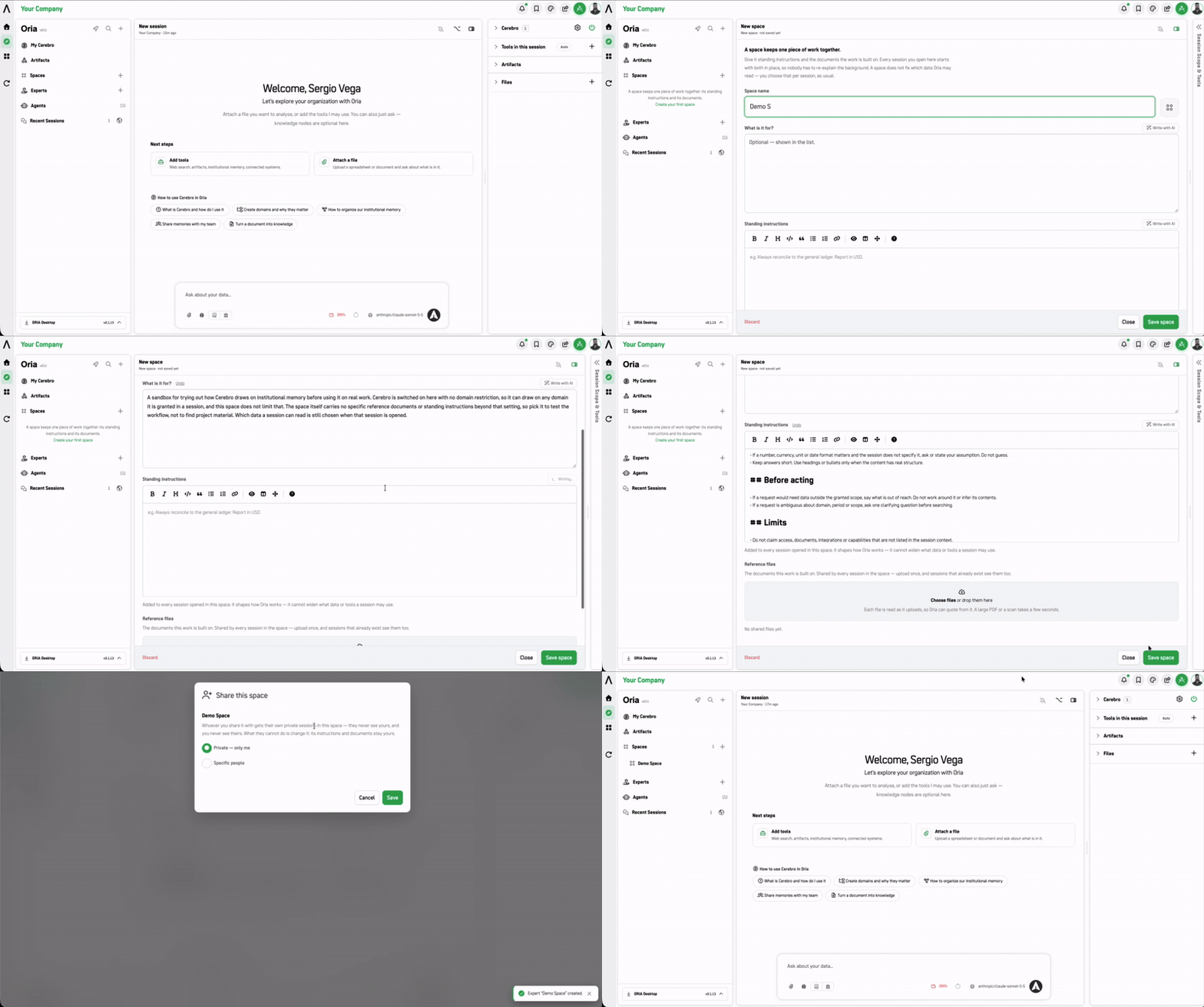
| Field | Purpose |
|---|---|
| Space name | The name that will appear in the spaces list (e.g., Q4 proposals). |
| What is it for? | Optional description displayed in the spaces list. |
| Standing instructions | Permanent instructions added to every session opened in this space. Defines how Oria operates (e.g., "Always reconcile to the general ledger. Report in USD."). Supports formatted text. |
| Reference files | Shared documents upon which the work is built. Uploaded once, and all sessions in the space can access them. Each file is read at 5 uploads; large PDFs or scans take a few seconds. |
How Spaces Work
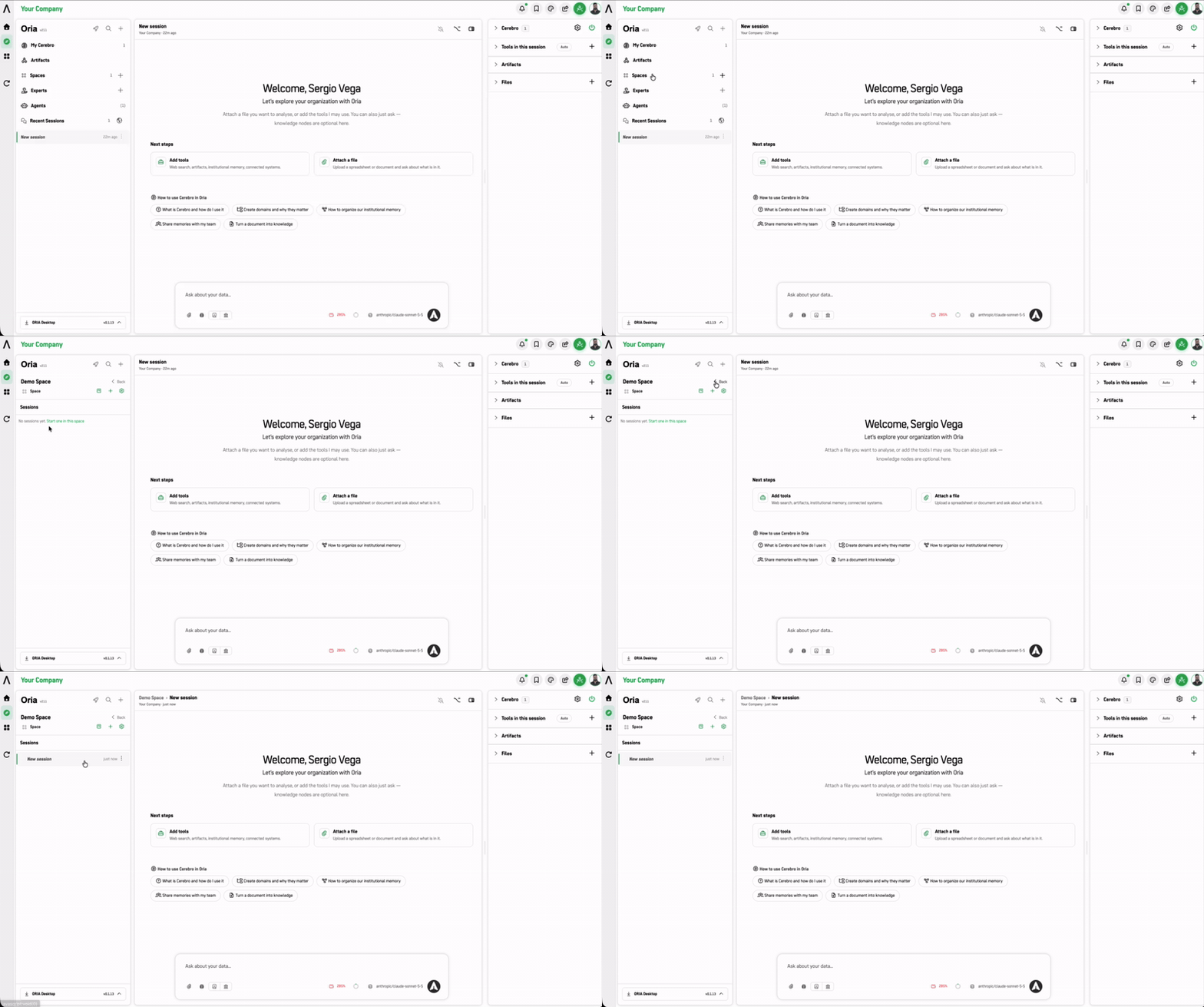
- Standing instructions do not expand scope. They modify Oria's behavior, but cannot expand the data or tools a session can use.
- Reference files are retroactive. Documents added to a Space are immediately visible to past and future sessions within that space.
Shared Spaces & Collaboration
Spaces can be shared with team members using privacy settings, allowing multiple users to work within the same workspace context, documents, and tools.
1. Sharing Options (Privacy & Access Control)
Space can be shared from its options menu (⋮) or directly from the creation/edition screen, which opens the Share this space modal.
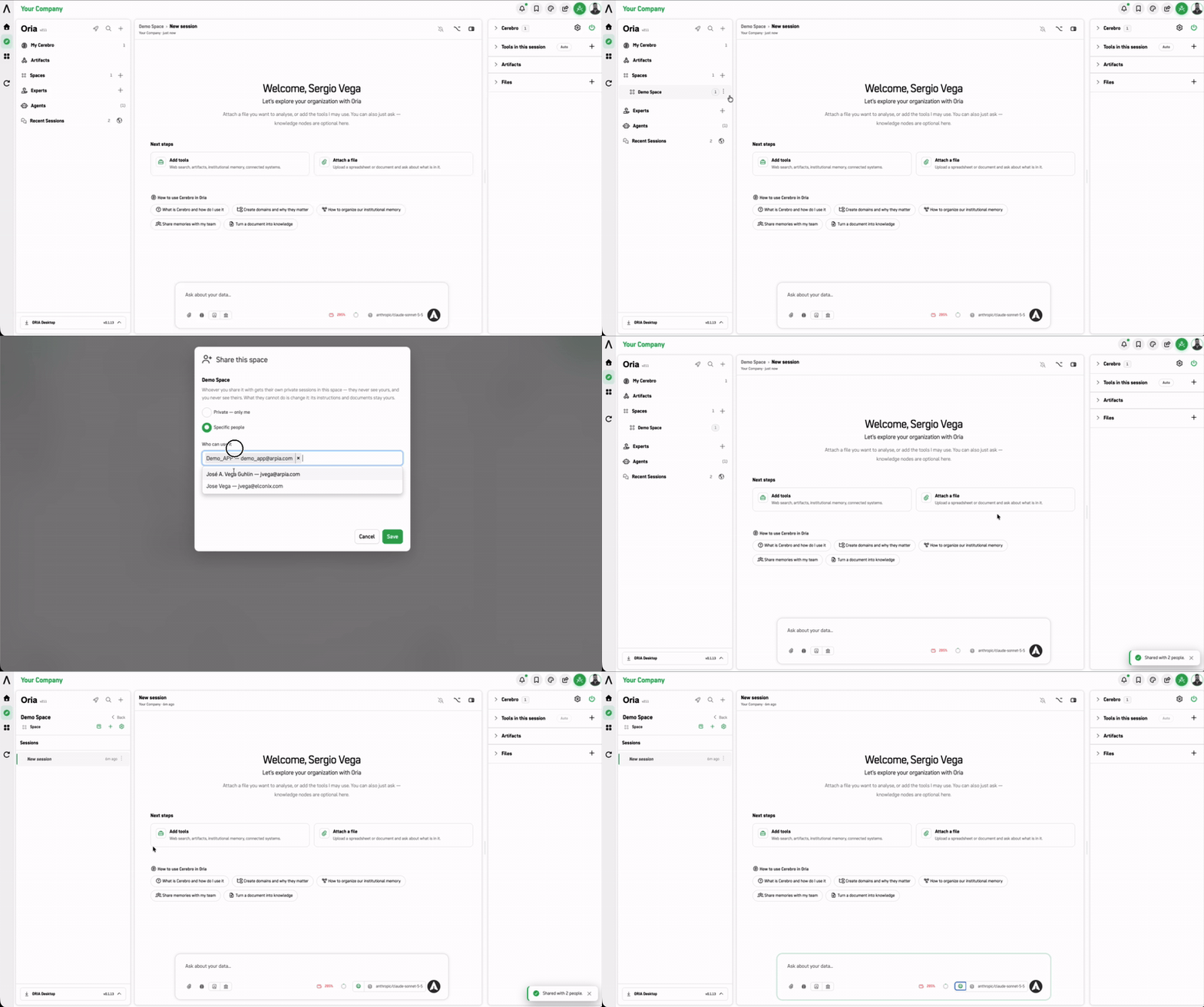
Available Access Levels
-
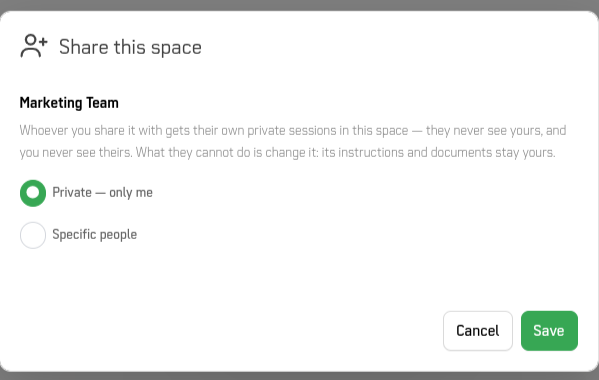
Private — only me: The Space is restricted exclusively to its author.
-
Specific people: Grants access to designated users or team members within the platform.
-
Key Rules of Shared Spaces
- Private Chat Sessions: Users shared into a Space get their own private sessions within it—authors cannot see other participants' session histories, and users cannot see each other's private sessions.
- Locked Structure: Invited users cannot alter the Space's standing instructions or remove base reference documents; those remain managed by the owner.
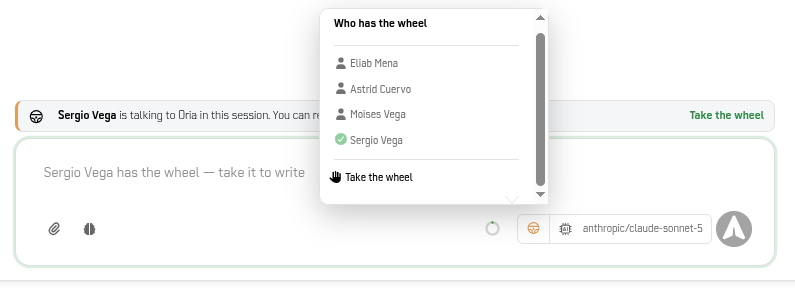
2. Live Collaboration & Real-Time Control ("Who Has the Wheel")
When multiple users collaborate within the same active session in a shared Space, Oria uses a turn-based system to keep interaction structured and avoid conflicting prompts.
How Turn-Based Control Works
- Shared Context: All documents, artifacts, and tools attached to the Space are accessible to everyone in the session.
- Active Speaker Control ("Who Has the Wheel"): Only the participant holding "the wheel" can send prompts or write commands to Oria.
- Taking Control: Any authorized participant can click the wheel icon at the bottom of the composer to view active members and click Take the wheel to claim control.
When to Use a Space
| Situation | Use |
|---|---|
| A working convention that should apply every time (units, sources, format) | Space |
| A one-off question | Just start a session |
| A recurring analysis with the same nodes and tools every time | Consider an Expert instead (see next doc) |
Next Steps
- Experts — Pre-configured session starting points with scope
- Typical Workflow — See how Spaces fit into your work
Updated 8 days ago