
What is ARPIA?
👋 Welcome to ARPIA
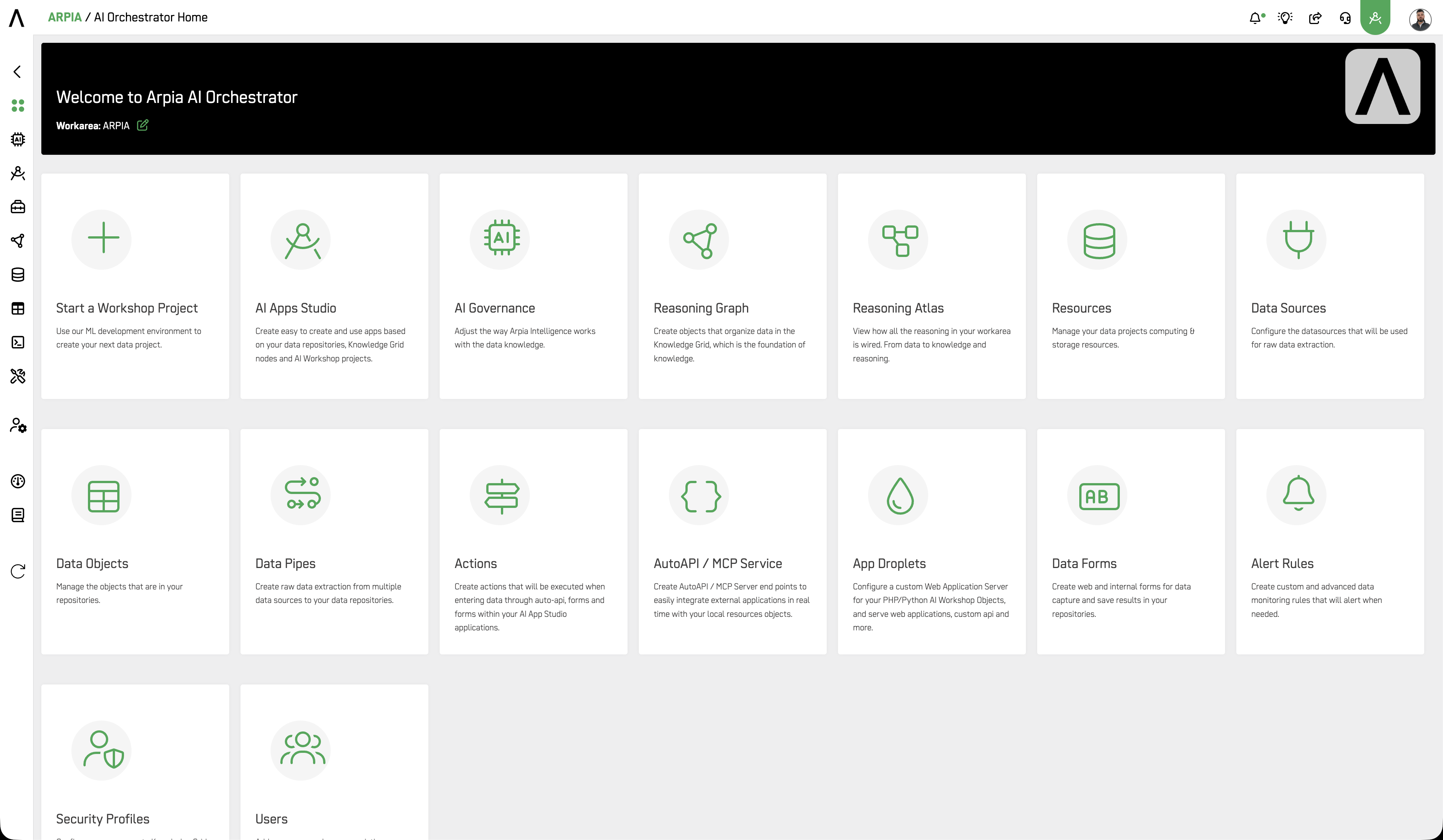
What is ARPIA?
ARPIA is the Intelligence Execution Layer for the enterprise. It sits between your data platforms and your AI agents, governing every decision, coordinating every workflow, and producing a complete audit trail from data source to AI output.
Where most platforms either store data or provide AI models, ARPIA governs the execution layer between them. That means every agent decision runs within policy boundaries, every data access is logged, and every workflow can be traced, reviewed, and audited.
The platform is certified under ISO 42001 and SOC 2 Type 2, and is built to support organizations operating under ISO 27001, GDPR, HIPAA, NIST AI RMF, and DORA.
🔗 Security, Compliance & Trust
Your First Screen
When you log in for the first time, you land directly in your Workarea. This is your organization's dedicated environment inside the platform, provisioned during your onboarding with ARPIA.
Think of the Workarea as the container for everything your team builds, governs, and operates. Users, data sources, AI workflows, applications, audit logs, and billing all live here. On subsequent logins, the platform returns you to the last Workarea your session was active in.
Most organizations operate a single Workarea. If your organization requires isolated environments per business unit, region, or project, additional Workareas are available.
Every Workarea is:
- Isolated from other organizations at the platform level, with no cross-tenant access
- Configurable by your administrators, who control user access and permissions
- Independent in terms of users, data, settings, and billing
Workareas, users, and platform features are subject to credit consumption based on your contracted plan.
🚀 Quick Start
If you were just granted access to a Workarea and need to get your team set up, follow these steps in order.
| Step | Task | Guide |
|---|---|---|
| 1 | Log in and confirm you are in the correct Workarea | 🔗 Accessing the ARPIA Platform |
| 2 | Understand how users and permissions work | 🔗 Understanding ARPIA's Permission System |
| 3 | Create Security Profiles for your team | 🔗 How to Create a Security Profile |
| 4 | Add your team members | 🔗 How to Create a User |
| 5 | Connect your first data source | 🔗 How to Connect a Data Source |
| 6 | Build your first AI workflow | 🔗 Reasoning Flows |
| 7 | Publish your first application | 🔗 AI Apps Studio |
Platform Architecture
ARPIA is organized into five layers. Data moves upward through the stack, from raw sources to governed, AI-powered applications. Each layer builds on the one below it.
| Layer | Purpose |
|---|---|
| Data Sources | Connect databases, APIs, files, streams, and external systems |
| Knowledge Layer | Organize and govern data assets with metadata, lineage, sensitivity classification, and access control |
| Reasoning Layer | Build AI workflows, agents, RAG pipelines, and automations on top of governed data |
| AI Governance | Enforce budget guardrails, usage policies, audit logs, and compliance controls |
| Applications | Deploy user-facing apps, dashboards, AI chat interfaces, forms, and maps |
The AI Lifecycle
Every AI interaction follows a governed execution chain. No step runs outside it.
Data → Knowledge → Reasoning → Policy Engine → Execution → Audit Log → Insights
This chain is not a configuration option. It is how the platform works by design.
Platform Principles
These principles reflect how ARPIA was designed and what it prioritizes when there are trade-offs to make.
| Principle | What it means in practice |
|---|---|
| Governance by default | Audit trails, access controls, and policy enforcement are active from day one |
| Data stays in your control | Your data remains within your Workarea. Tenant isolation is enforced at every layer |
| Every decision is auditable | Audit logging is built into the platform architecture, not added as an optional feature |
| Human oversight first | AI operates within policy boundaries your team defines. No autonomous action runs outside governance controls |
| No vendor lock-in | The platform supports multiple LLM providers and allows you to bring your own models |
| Compliance is structural | ISO 42001 and SOC 2 Type 2 compliance is reflected in how the platform operates, not only in how it is documented |
Solutions
Two purpose-built solutions run on the ARPIA Platform. Your contracted plan determines which are available in your Workarea.
🧠 Arpia Cerebro
Cerebro governs institutional knowledge. It captures, structures, and activates your organization's knowledge so that AI agents and workflows reason on validated, auditable information rather than unverified sources.
🎯 Precision Intelligence
Precision Intelligence connects governed data and AI reasoning to operational decisions. It surfaces insights through role-based applications, dashboards, and alerts that are built on your actual data and subject to the same governance controls as the rest of the platform.
🔗 Learn more about Precision Intelligence
Common Use Cases
ARPIA is built for organizations where AI must operate within compliance and governance boundaries. The following use cases reflect how customers put the platform to work.
| Use Case | Description |
|---|---|
| AI Governance and Compliance Automation | Enforce AI usage policies, audit every model interaction, and generate compliance evidence for ISO 42001, SOC 2, and GDPR |
| Governed Enterprise Search | Give teams AI-powered search across governed data assets with access control, lineage, and audit trails |
| Regulatory Reporting and Document Intelligence | Automate extraction, classification, and summarization of regulatory documents with full traceability |
| Compliance Monitoring | Continuously evaluate data and AI activity against compliance frameworks and trigger alerts on policy violations |
| Knowledge Governance | Capture, classify, and govern institutional knowledge so AI agents reason on verified, auditable information |
| Risk and Fraud Detection | Deploy AI workers that flag anomalies and surface risk signals within a governed, auditable pipeline |
| Executive and Operational Dashboards | Surface AI-generated insights through governed applications with role-based access and full data lineage |
Enterprise Trust and Security
| Capability | Status |
|---|---|
| ISO 42001 | ✅ Certified |
| SOC 2 Type 2 | ✅ Certified |
| Multi-tenant isolation | ✅ Enforced at the platform level |
| Role-based access control | ✅ Configured through Security Profiles |
| Single Sign-On | ✅ Google Workspace and Microsoft 365 / Azure AD |
| Audit logs | ✅ Every decision, data access, and workflow execution |
| Encryption | ✅ At rest and in transit |
| Human oversight controls | ✅ Policy engine and budget guardrails |
The platform is also designed to support organizations operating under ISO 27001, GDPR, HIPAA, NIST AI RMF, and DORA.
🔗 Security, Compliance & Trust
Administration Overview
All administrative capabilities are managed from within the Workarea by users holding the Super User profile or a Security Profile with administrative access. This covers:
- Users and permissions — create users, assign Security Profiles, and configure login methods
- Billing and credit usage — monitor consumption, set budget guardrails, and review invoices
- Audit logs — review all platform activity, AI decisions, and data access events
- Security Profiles — define and maintain role-based access controls for your organization
- Platform configuration — manage integrations, MCP servers, data sources, and governance policies
Access to these capabilities is controlled entirely by your organization. Users without an administrative Security Profile cannot reach them.
🔗 Understanding ARPIA's Permission System
Deployment Options
| Model | Description |
|---|---|
| Cloud | Fully managed. No infrastructure required on your end |
| Hybrid | Core platform in the cloud with data connectors or compute running on your infrastructure |
| On-Premises | Full platform deployed within your own environment for air-gapped or high-compliance requirements |
Contact your ARPIA representative to confirm which deployment model applies to your organization.
🔗 How We Work · 🔗 Deploy
Find Your Starting Point
Your role in the Workarea determines where you should go next.
🛡️ Setting up ARPIA for your organization
You were assigned the Super User profile during onboarding and are responsible for configuring the platform for your team.
- 🔗 Understanding ARPIA's Permission System
- 🔗 Workarea Setup Checklist
- 🔗 Single Sign-On
- 🔗 Introduction to the AI Orchestrator
🧑💻 Developer or data engineer
You build Reasoning Flows, Data Objects, and AI workflows inside the platform.
👤 End user
You access applications, dashboards, and AI tools that your organization has built and published.
🏛️ Compliance or governance officer
You oversee AI usage policies, audit activity, and regulatory alignment across the platform.
Resources
| Resource | Link |
|---|---|
| 📚 Documentation | docs.arpia.ai |
| 🎓 Academy | academy.arpia.ai |
| 📊 Platform Status | status.arpia.ai |
| 💬 Talk to an Expert | arpia.ai/contact |
| 💳 Pricing | Pricing @ ARPIA Platform |
| 🔒 Trust and Compliance | Security, Compliance & Trust |
Updated 4 months ago