
Introduction to the AI Orchestrator
🧠 What is AI Orchestrator?
AI Orchestrator is the main control center of the ARPIA platform. It's a single workspace where you manage everything from raw data and AI apps to governance, security, and resources.
From Orchestrator you can:
- Connect and structure your data
- Turn that data into reusable knowledge and reasoning
- Build and launch AI apps, then connect them to other tools
- Set the guardrails — alerts, policies, and permissions — that keep it all secure
Think of it as the "all-in-one dashboard" that brings data, intelligence, and governance together so everything runs smoothly.
There are two ways to navigate it:
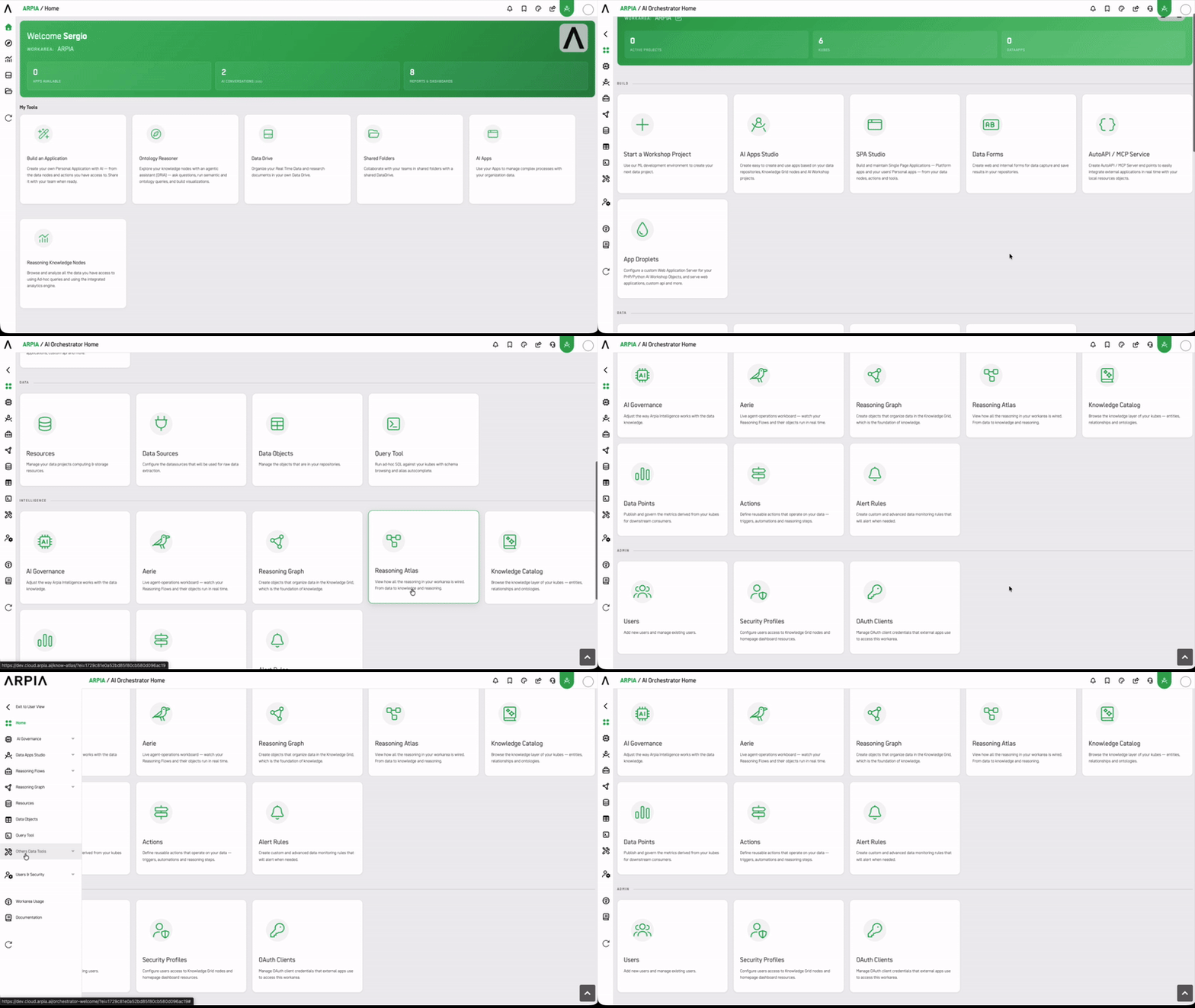
- Home dashboard — groups every module into four task-oriented sections: Build, Data, Intelligence, and Admin.
- Side menu — exposes the full module tree in a persistent, expandable panel for quick jumping between areas.
Main screen view
🗺️ Navigation
The side menu is the persistent navigation layer of the Orchestrator. Each top-level item expands to reveal its sub-modules.
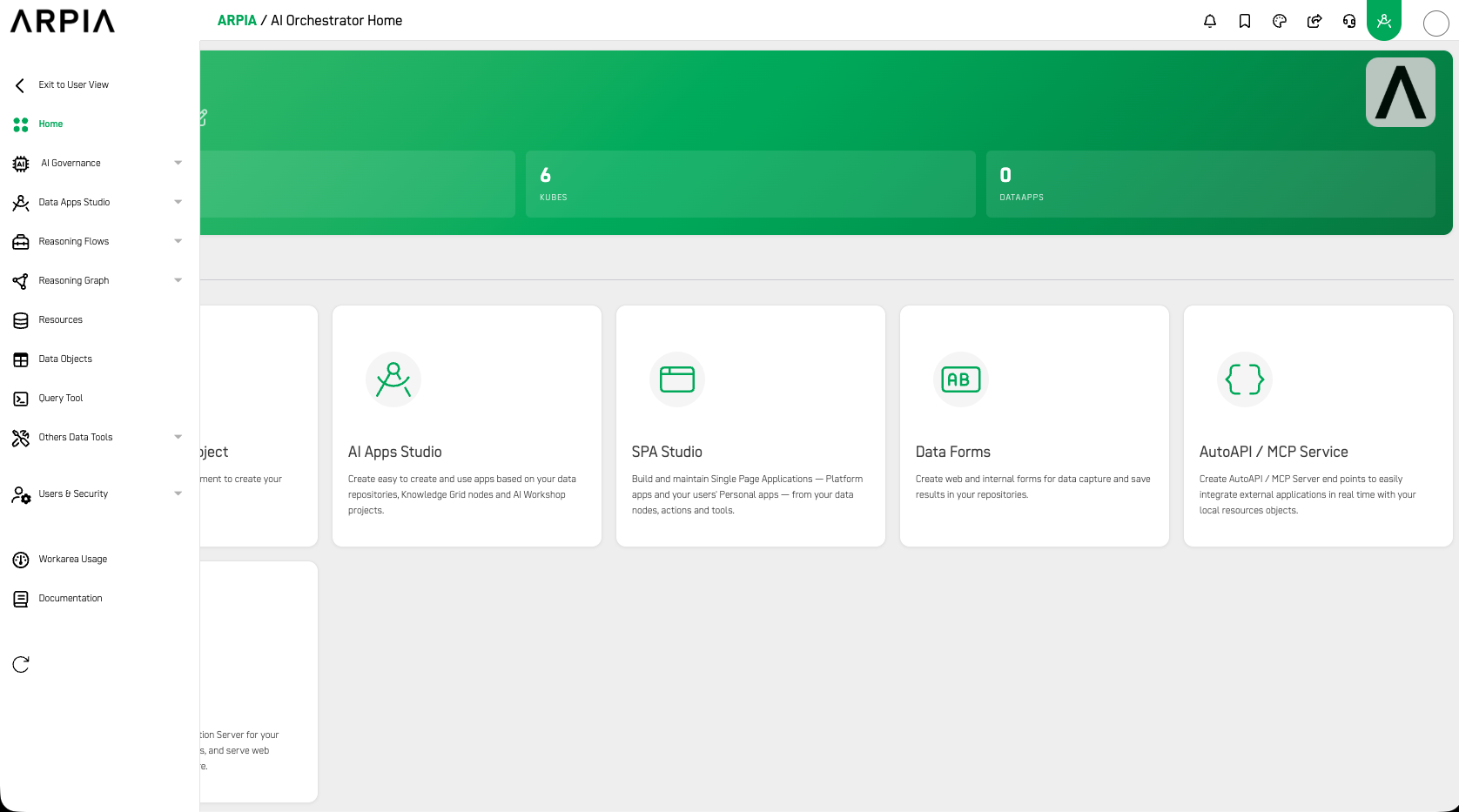
Side menu — collapsed overview
⚙️ Orchestrator Modules
Orchestrator's modules follow a natural progression: raw data becomes structured knowledge, knowledge powers applications, and governance and security wrap around the whole stack.
Both the home dashboard and the side menu surface the same modules — just organized differently. The home dashboard groups them by task (Build, Data, Intelligence, Admin). The side menu groups them by functional area, with sub-items revealed on expand.
The role shown next to each module is its primary owner; other roles often consume the output.
🔨 Build — Data Apps Studio
Create and deploy intelligent applications.
Typically used by: app developers and solution builders — plus business users for forms and simple apps.
Side menu: Data Apps Studio → App Studio, SPA Studio
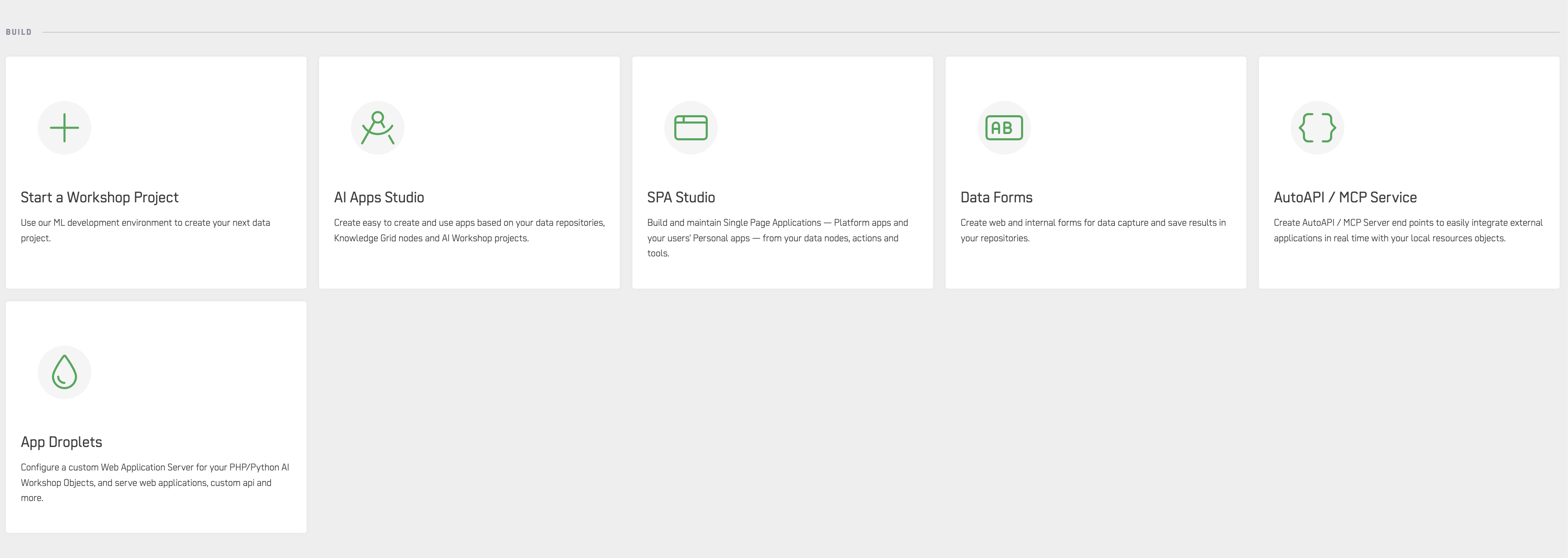
Home dashboard — Build section
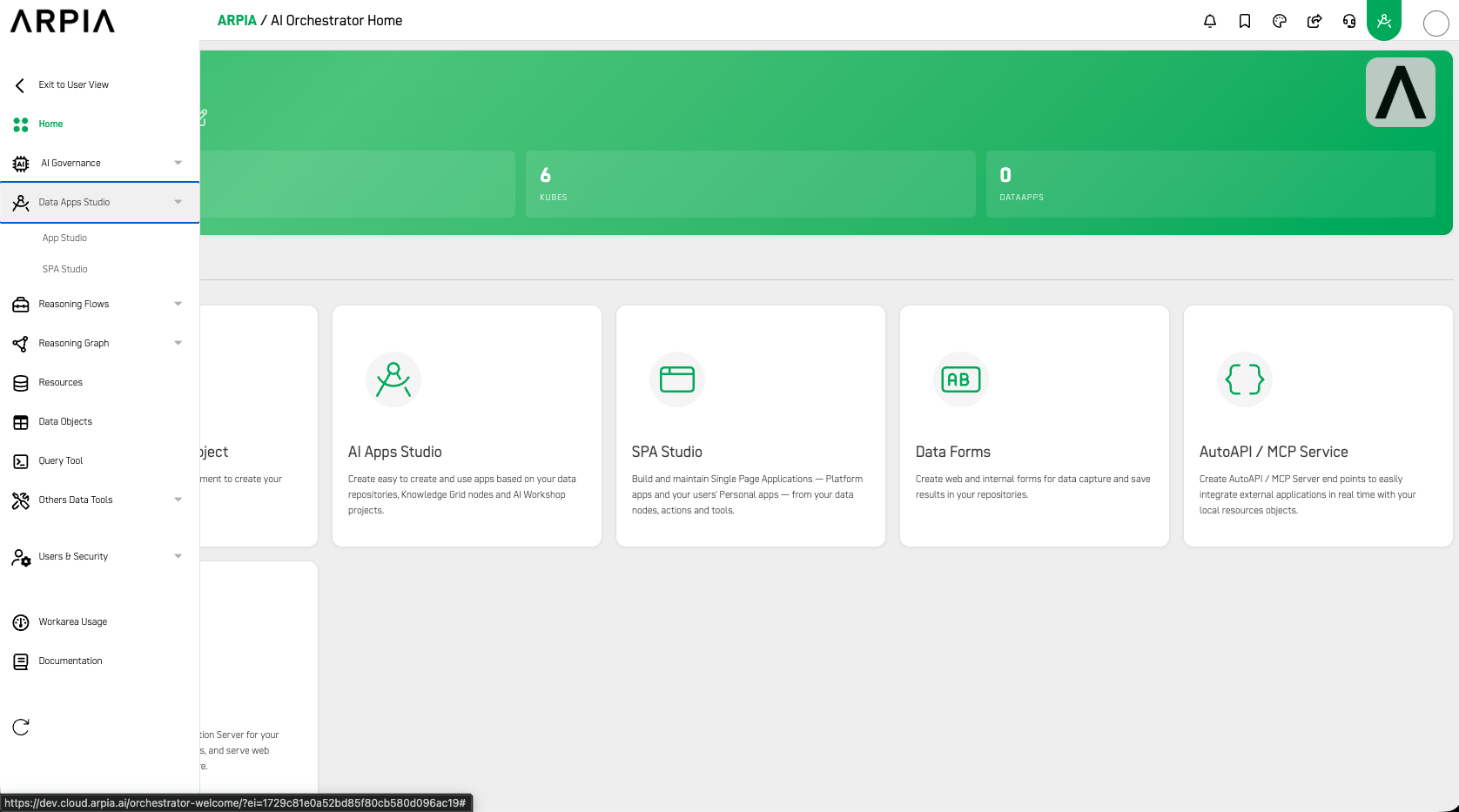
Side menu — Data Apps Studio expanded
- AI Apps Studio — create apps from your data repositories, Knowledge Grid nodes, and Workshop projects (App Developer / Solution Builder)
- SPA Studio — build and maintain Single Page Applications — both platform apps and personal user apps — from your data nodes, actions, and tools (App Developer / Business User)
Additional build tools (AutoAPI / MCP Server, App Droplets, Data Forms) are accessible via Others Data Tools in the side menu, and from the Build section of the home dashboard.
🗄️ Data
Bring in and organize your raw data.
Typically used by: data engineers and platform administrators — analysts also run queries here.
Side menu: Resources, Data Objects, Query Tool (flat items), and Others Data Tools → Data Sources, Data Pipes

Home dashboard — Data section
- Resources — manage compute and storage resources for your data projects (Platform Administrator)
- Data Sources — configure the data sources used for raw data extraction (Data Engineer)
- Data Objects — manage the objects (kubes) in your repositories (Data Engineer)
- Data Pipes — create raw data extraction pipelines from multiple data sources to your repositories (Data Engineer)
- Query Tool — run ad-hoc SQL against your kubes with schema browsing and alias autocomplete (Analyst / Data Scientist)
🧬 Intelligence — Reasoning Flows & Reasoning Graph
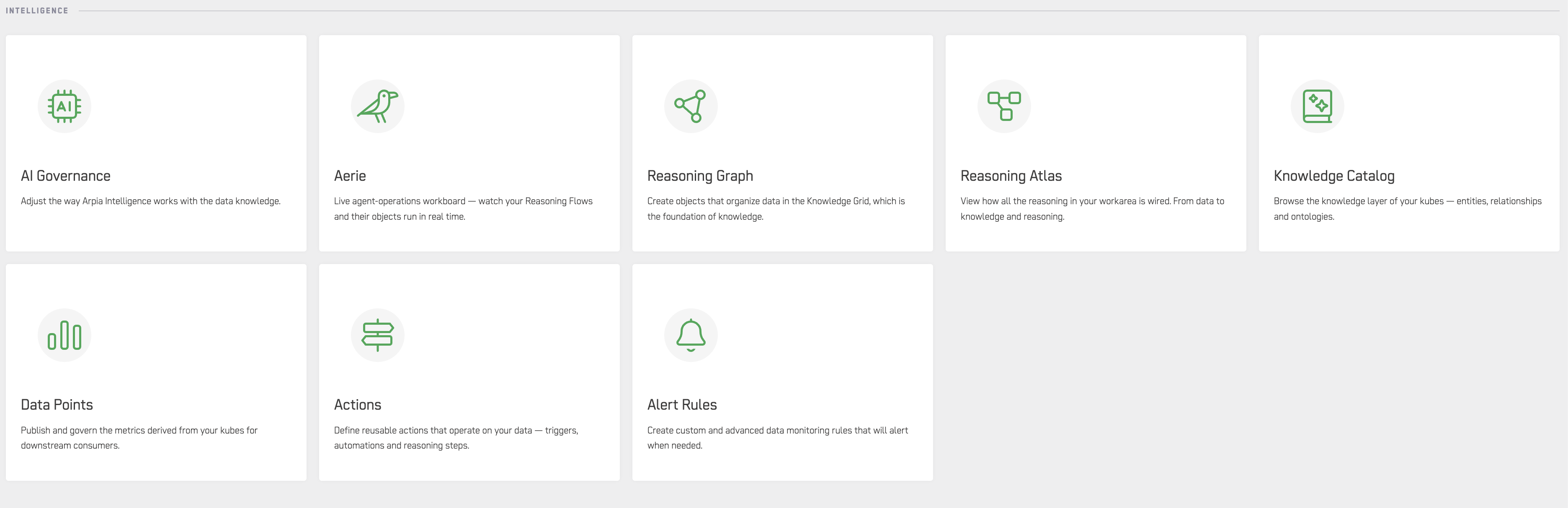
Home dashboard — INTELLIGENCE section
Turn data into structured knowledge and orchestrate reasoning.
Typically used by: data architects and knowledge engineers build this layer; analysts and data scientists consume it.
Side menu: Reasoning Flows → Reasoning Flows, Aerie, Reasoning Atlas | Reasoning Graph → Knowledge Catalog, Knowledge Ontology, Data Points, Actions, Access Governance
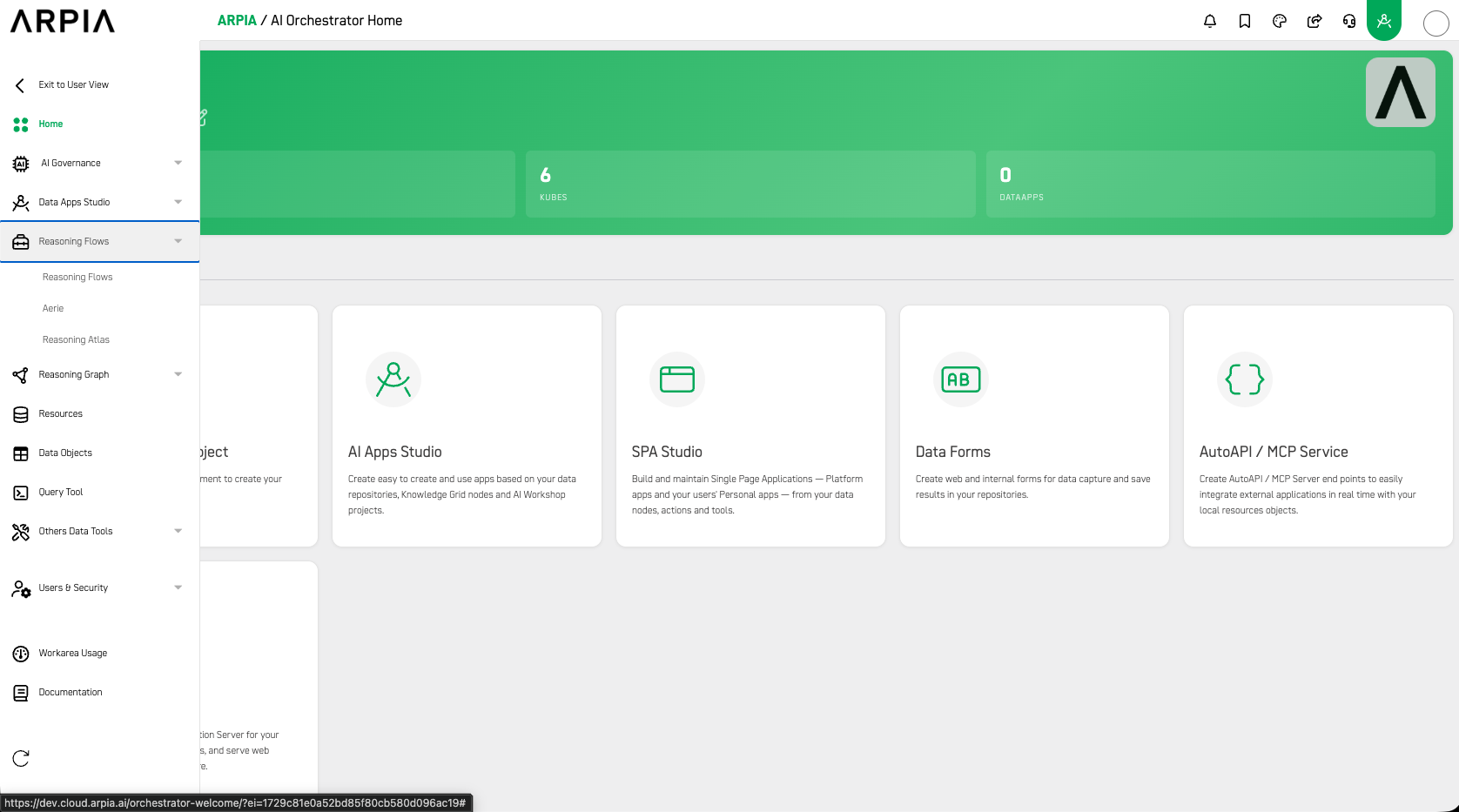
Side menu — Reasoning Flows expanded
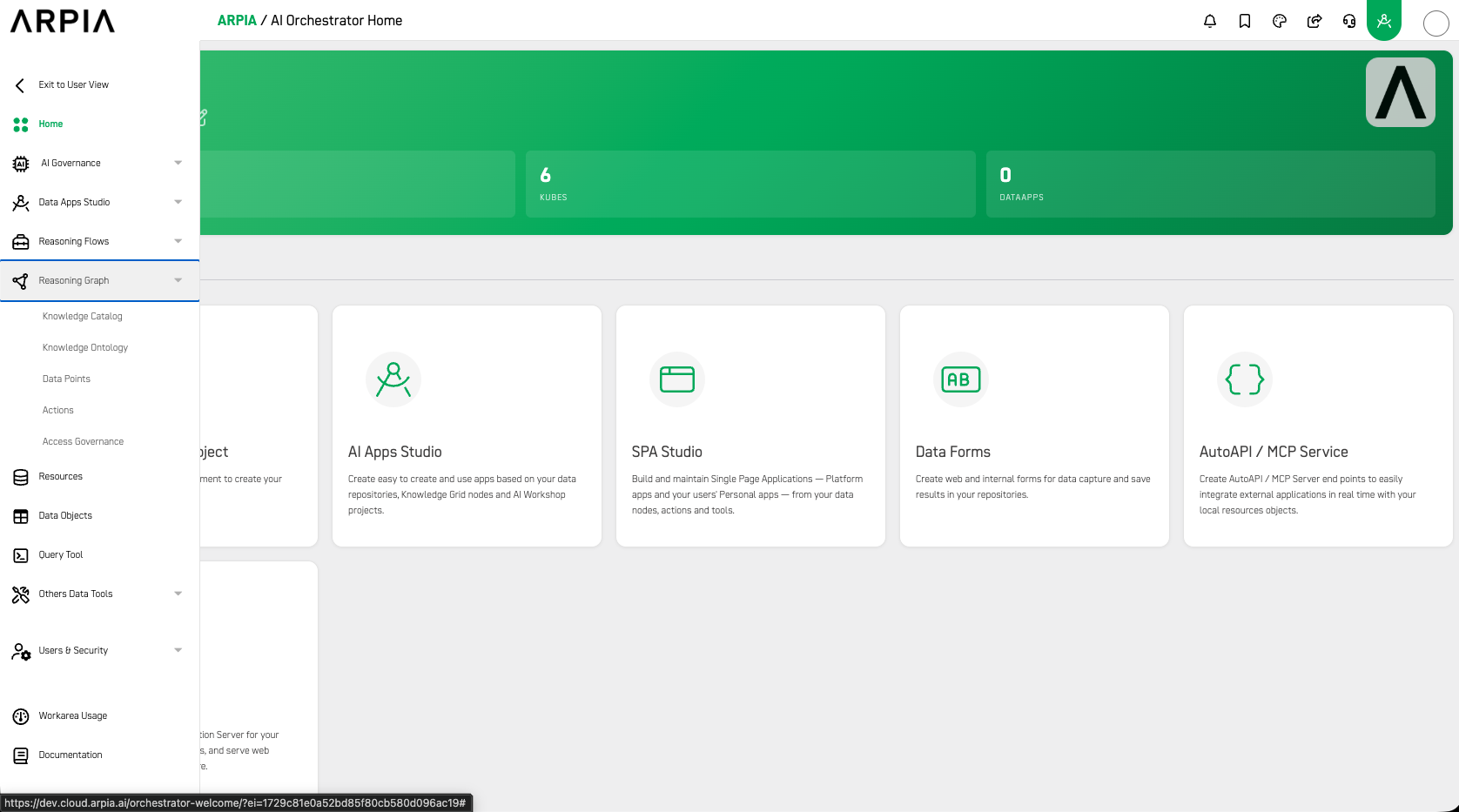
Side menu — Reasoning Graph expanded
Reasoning Flows
- Reasoning Flows — orchestrate decision and control logic across your knowledge layer (Data Scientist / Solution Builder)
- Aerie — live agent-operations workboard — watch your Reasoning Flows and their objects run in real time (Operations / ML Engineer)
- Reasoning Atlas — view how all the reasoning in your workarea is wired, from data to knowledge and reasoning (Data Architect / Analyst)
Reasoning Graph
- Reasoning Graph — create objects that organize data in the Knowledge Grid, the foundation of knowledge (Data Architect / Knowledge Engineer)
- Knowledge Catalog — browse the knowledge layer of your kubes — entities, relationships, and ontologies (Analyst / Data Scientist)
- Knowledge Ontology — define the structure of your knowledge layer (Data Architect / Knowledge Engineer)
- Data Points — publish and govern metrics derived from your kubes for downstream consumers (Analyst / Data Scientist)
- Actions — define reusable actions that operate on your data — triggers, automations, and reasoning steps (Developer / Data Scientist)
- Access Governance — govern permissions across the knowledge layer (Security & Compliance)
🛡️ Governance — AI Governance
Define how AI behaves, manage policy, and monitor compliance.
Typically used by: security, compliance, and platform owners.
Side menu: AI Governance → Overview, Aerie, Operations, Policy Center, Risk & Compliance, Logs & Controls, Configuration
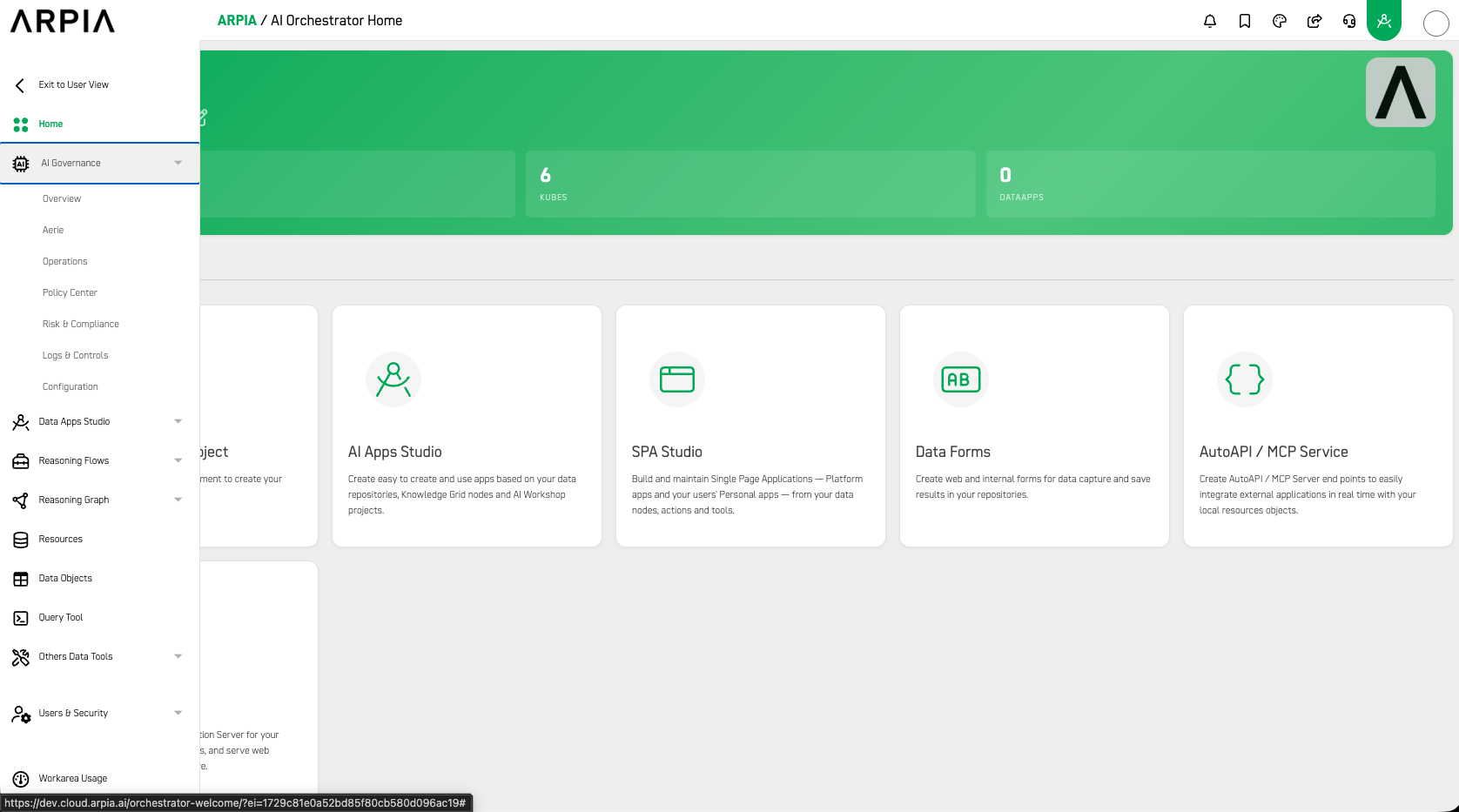
Side menu — AI Governance expanded
- Overview — high-level view of governance status across the workarea
- Aerie — live agent-operations workboard, also accessible from Reasoning Flows (Operations / ML Engineer)
- Operations — monitor and manage active AI operations
- Policy Center — define and manage AI policies (Security & Compliance / Platform Owner)
- Risk & Compliance — assess risk posture and track compliance status (Security & Compliance)
- Logs & Controls — audit logs and operational controls (Security & Compliance / Platform Owner)
- Configuration — platform-level AI governance settings (Platform Administrator)
🔧 Others Data Tools
Utilities, integrations, and lifecycle tools that span multiple workflows.
Typically used by: developers, IT, ML engineers, and platform administrators.
Side menu: Others Data Tools → Data Sources, Data Pipes, AutoAPI / MCP Server, App Droplets, Data Forms, Alert Rules, ML Ops, Integrations, Migration Tool
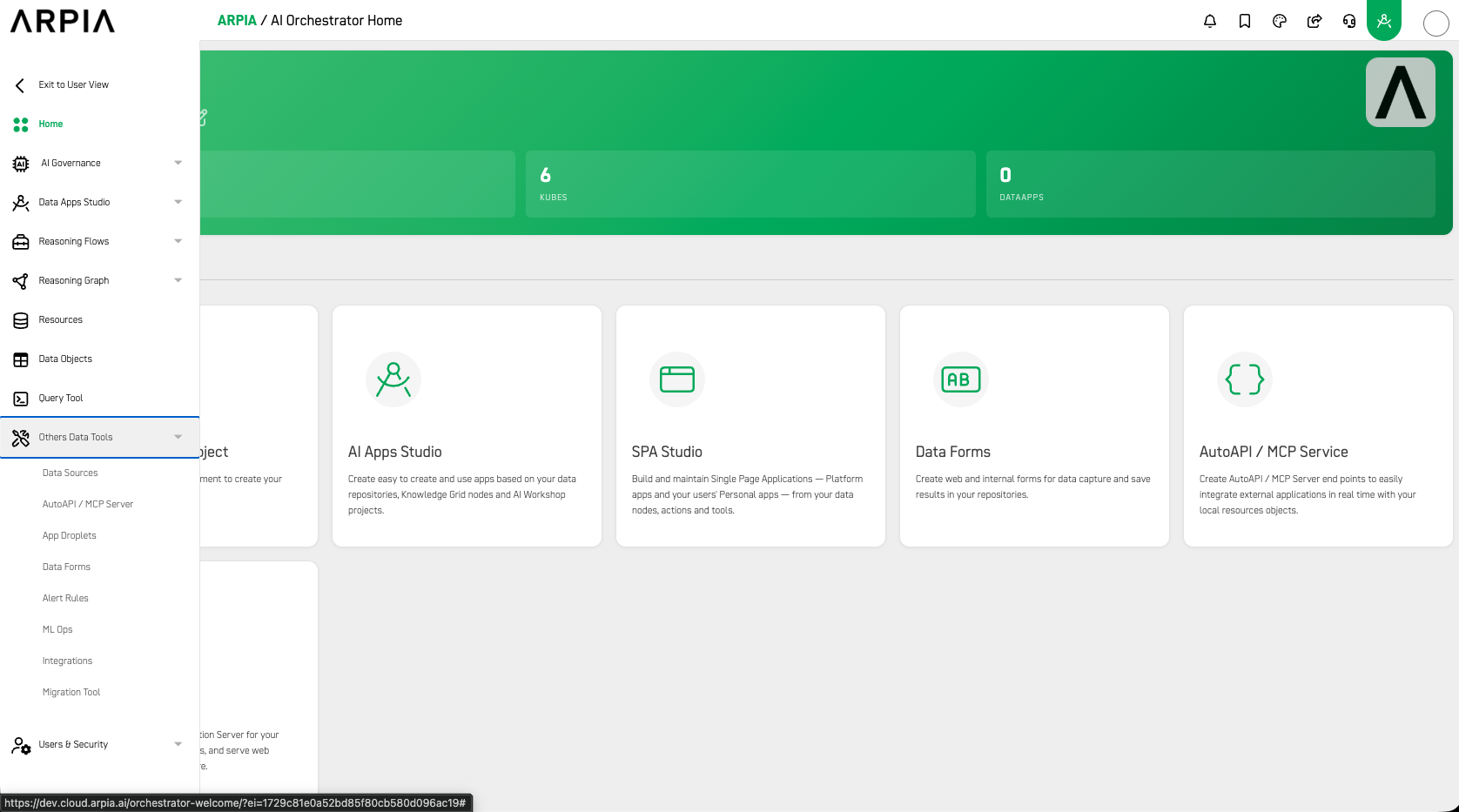
Side menu — Others Data Tools expanded
- Data Sources — also accessible from the Data section (Data Engineer)
- Data Pipes — also accessible from the Data section (Data Engineer)
- AutoAPI / MCP Server — create endpoints to integrate external applications in real time with your local resource objects (Developer / Integration Engineer)
- App Droplets — configure a custom web application server for PHP/Python AI Workshop objects (Developer / Data Engineer)
- Data Forms — capture input through web and internal forms and save results to your repositories (Business / Operations User)
- Alert Rules — create custom and advanced data monitoring rules that alert when needed (Operations / DevOps)
- ML Ops — manage and operate your models (ML Engineer / Data Scientist)
- Integrations — connect external systems and tools (IT / Integration Engineer)
- Migration Tool — move work between environments (Data Engineer / Platform Administrator)
🔐 Access & Security — Users & Security
Manage people, permissions, and external connections.
Typically used by: platform administrators and security teams — developers manage their own OAuth Clients.
Side menu: Users & Security → Users, Security Profiles, OAuth Clients

Home dashboard — Admin section
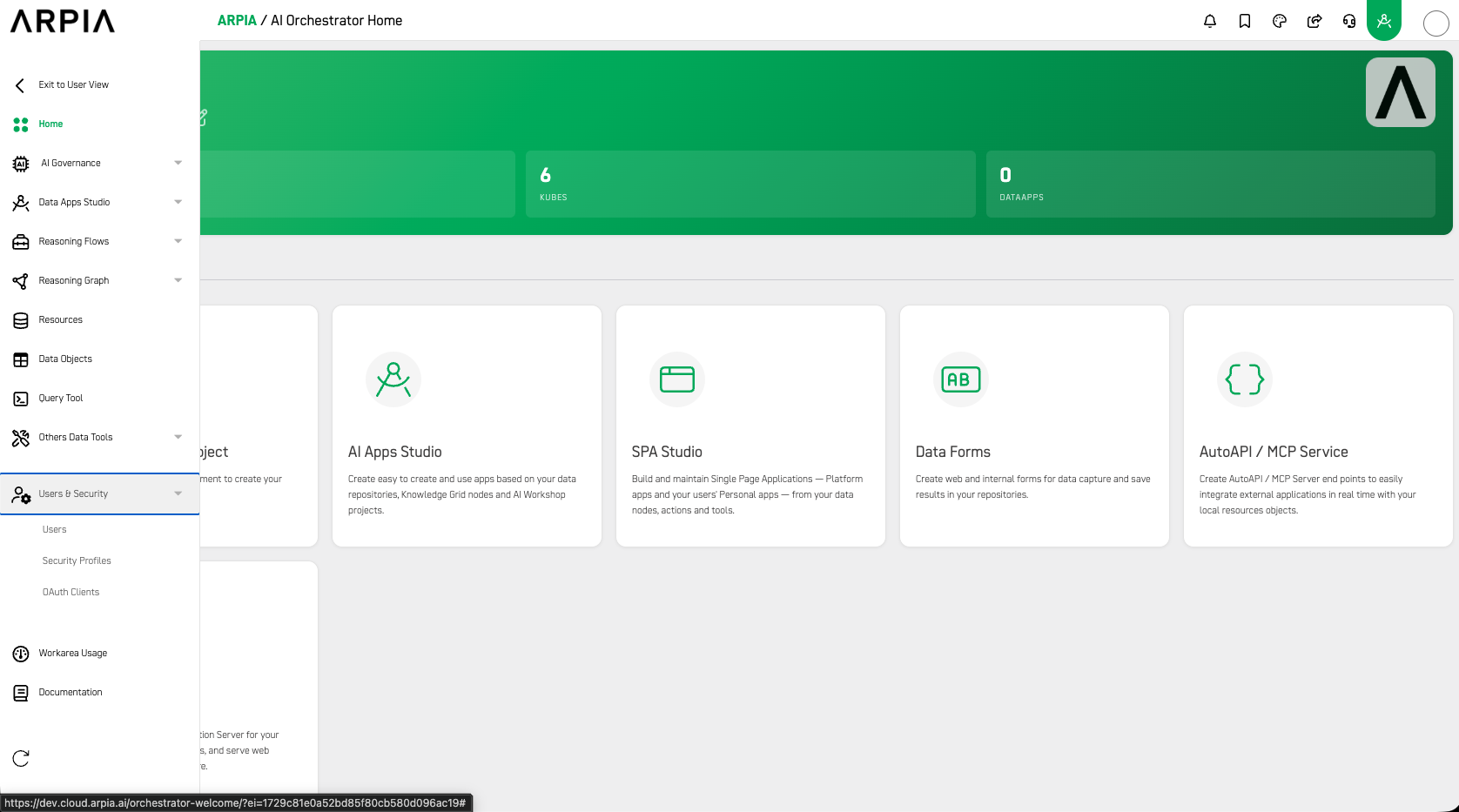
Side menu — Users & Security expanded
- Users — add new users and manage existing users (Platform Administrator)
- Security Profiles — configure user access to Knowledge Grid nodes and homepage dashboard resources (Platform Administrator / Security)
- OAuth Clients — manage OAuth client credentials that external apps use to access this workarea (Developer, with Security approval)
📊 Workarea Usage
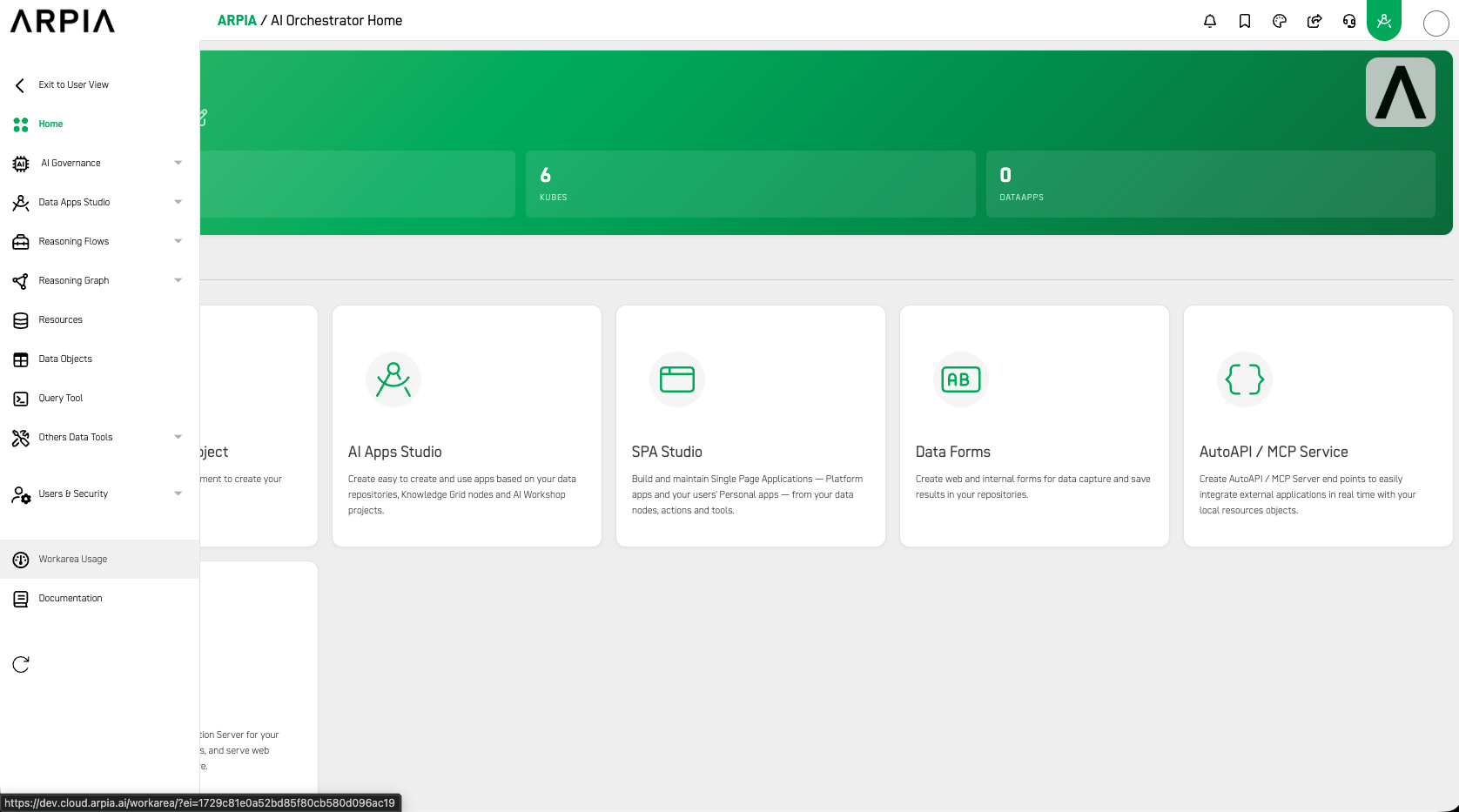
Side menu — Workarea Usage
Track consumption and activity across the workarea.
Typically used by: platform administrators and executives.
Side menu: Workarea Usage (flat)
- Monitor usage metrics, resource consumption, and adoption across teams.
By combining these modules, the Orchestrator lets ARPIA teams design, control, and scale intelligence across the platform — keeping data, reasoning, governance, and development tightly connected in one visual, collaborative environment.
Updated 3 months ago