
Resources
Manage your data projects' computing and storage resources.
🗂️ Resources Overview
The Resources section is accessible from both the main menu and the side menu of the Orchestrator. It is dedicated to managing the data of your computing projects and handling resource storage.
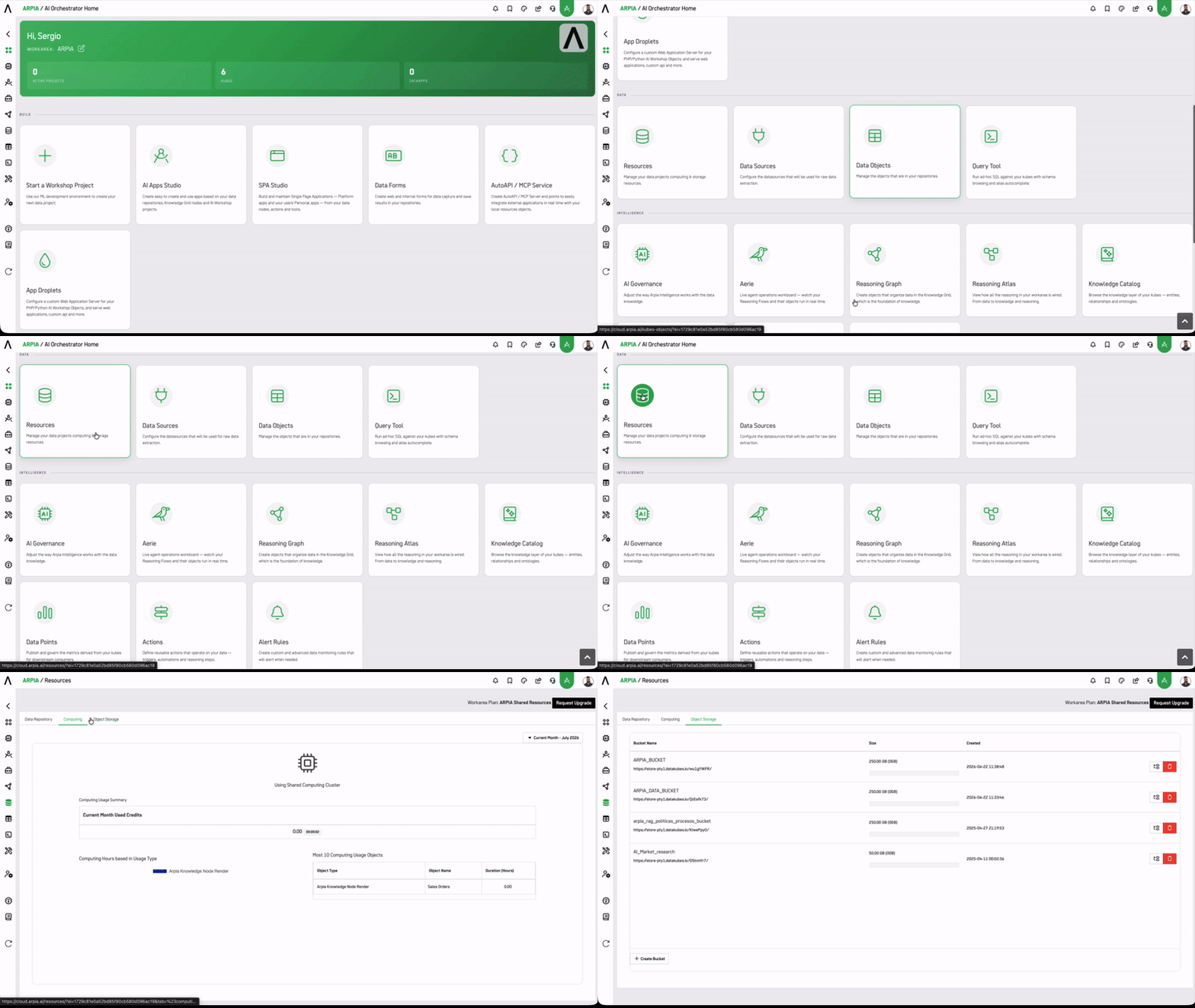
🛠️ Resource Tools
📦 Data Repository
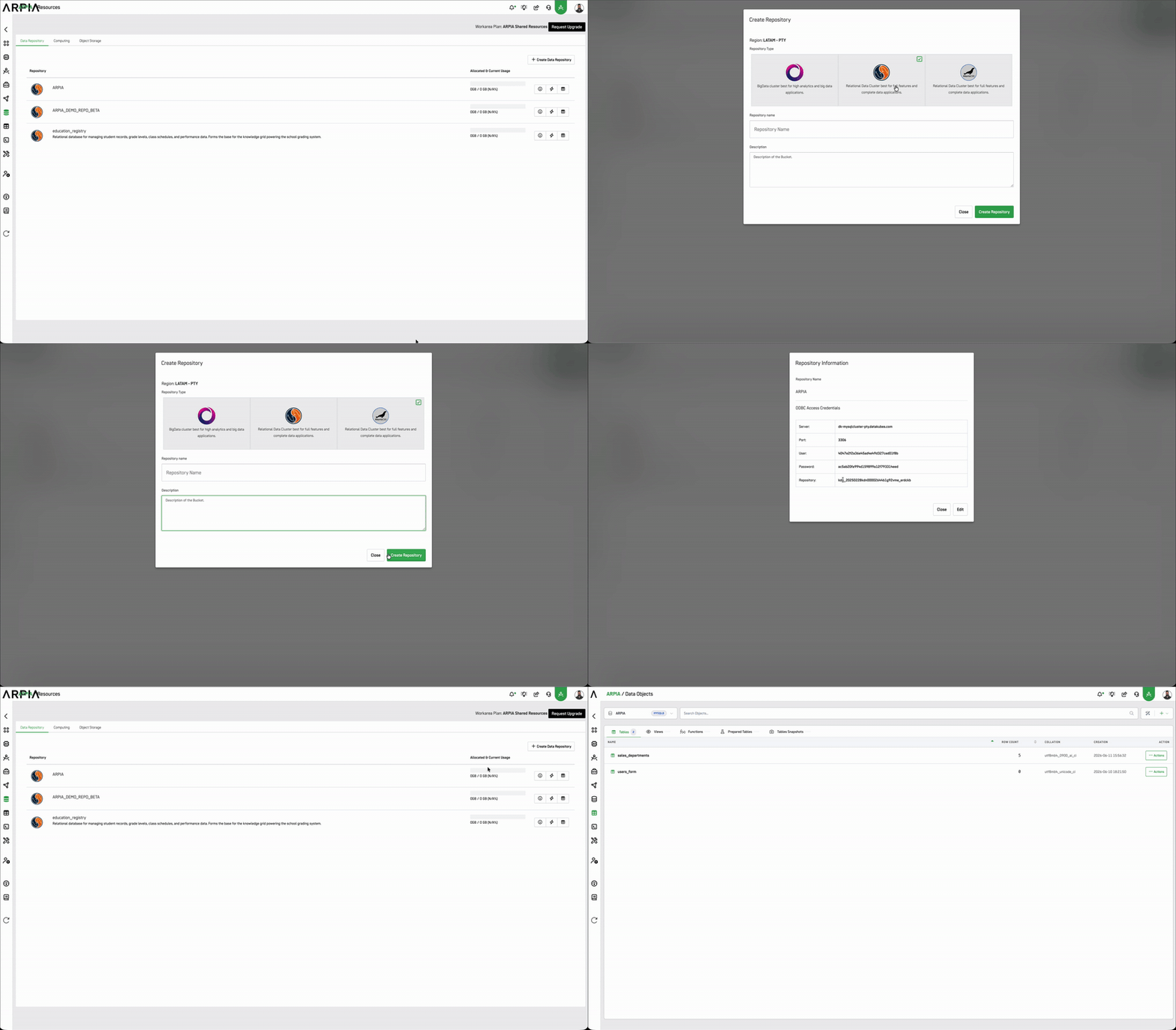
The Data Repository is a centralized place where both structured and unstructured data are stored and managed. It helps organize and access data efficiently.
Repository Types
When creating a new repository, you can choose from the following types, optimized for different use cases:
| Repository Type | Best For | Query Language | Available In |
|---|---|---|---|
| BigData Cluster | High-volume analytics, log processing, and big data applications handling terabytes of data | HiveQL / Spark SQL | LATAM, US |
| SingleStore | High-performance big data and real-time analytics at scale | Standard SQL (SingleStore) | LATAM, US |
| MySQL | Traditional business applications, transactional systems, and structured relational data | Standard SQL (MySQL) | LATAM only |
| MariaDB | MySQL-compatible applications with enhanced open-source features and performance optimizations | Standard SQL (MySQL-compatible) | LATAM only |
Repository Availability by Domain
Available repository types depend on your domain. LATAM domain supports all four types: BigData Cluster, SingleStore, MySQL, and MariaDB. US domain supports BigData Cluster and SingleStore only. MySQL and MariaDB are not available in the US domain.
Repositories Query Language
ARPIA provides a Query Tool to run queries on repository tables; the query itself works the same way, but the syntax adapts to the type of repository (e.g., relational vs. big data).
Repositories integrate native ARPIA tools such as DataObjects, DataPipes, DataForms, Alert Rules, and more, enabling end-to-end data operations.
| Repository Tool | Description |
|---|---|
| DataObjects | Manage repository objects such as Tables, Views, Functions, Prepared Tables, and Snapshots. |
| DataPipes | Create data extraction pipelines from external sources into ARPIA repositories, with support for mapping, full loads, or incremental updates. |
| DataForms | Build forms (online or offline) for data collection, mapped directly to repository tables. |
| Alert Rules | Define monitoring rules (SQL or Kubes-based) that automatically send notifications when conditions are met. |
| Projects ML | Automate recurring processes for advanced analytics or machine learning, storing results in repository tables. |
| Kubes | Use a visual designer to create Data Cubes for Presentations, Dashboards, and Insights. |
| Buckets | Store and manage files such as images and documents uploaded from DataApps. |
Learn More
💻 Computing
The Computing section manages data processing tasks like calculations, analysis, and simulations. It also tracks the monthly use of credits and provides a summary of computing resource usage.
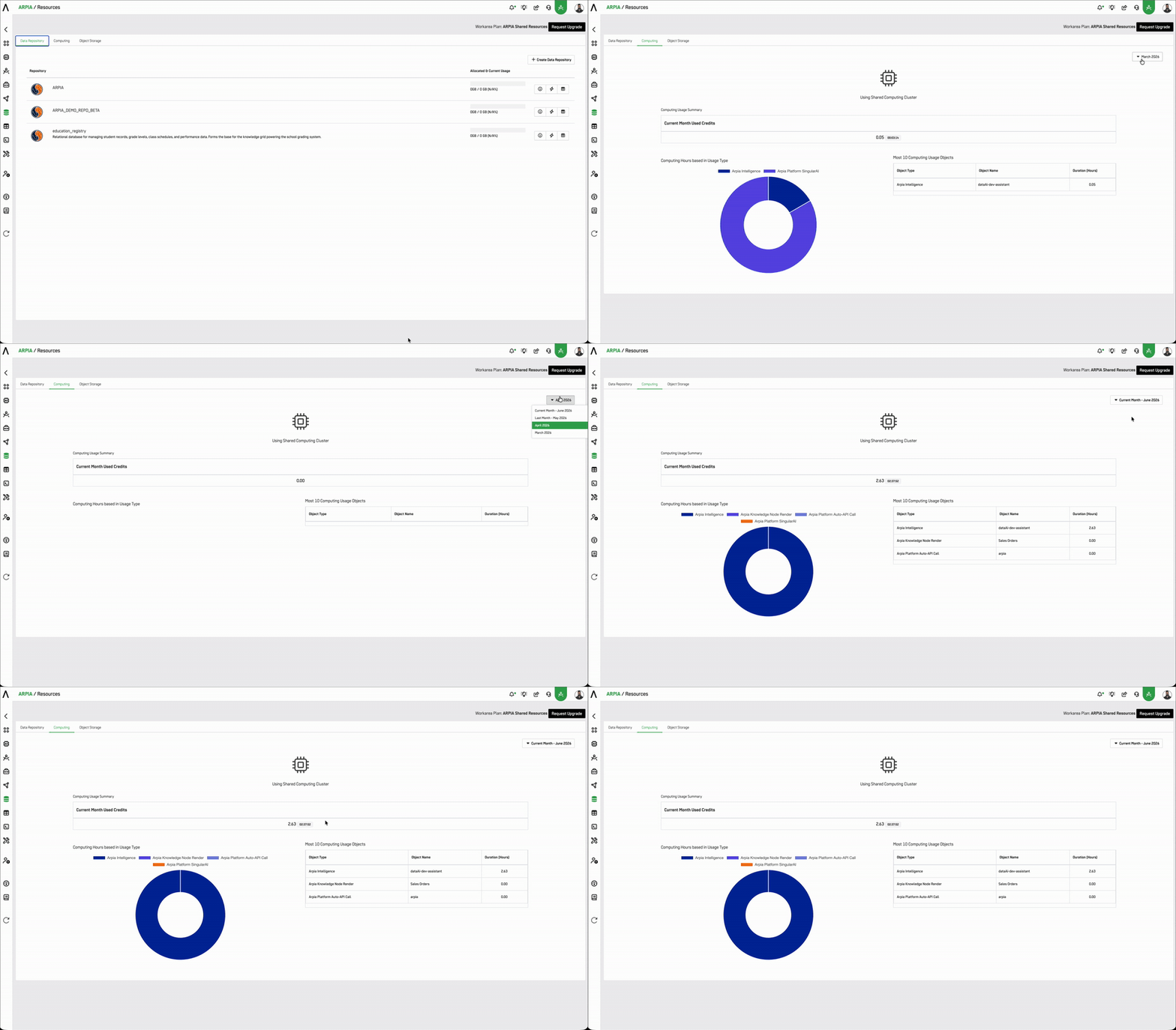
Credits and Billing Management
For more details on credit usage and billing, please refer to the Billing and Credit Management section.
Learn More
🗃️ Bucket Storage
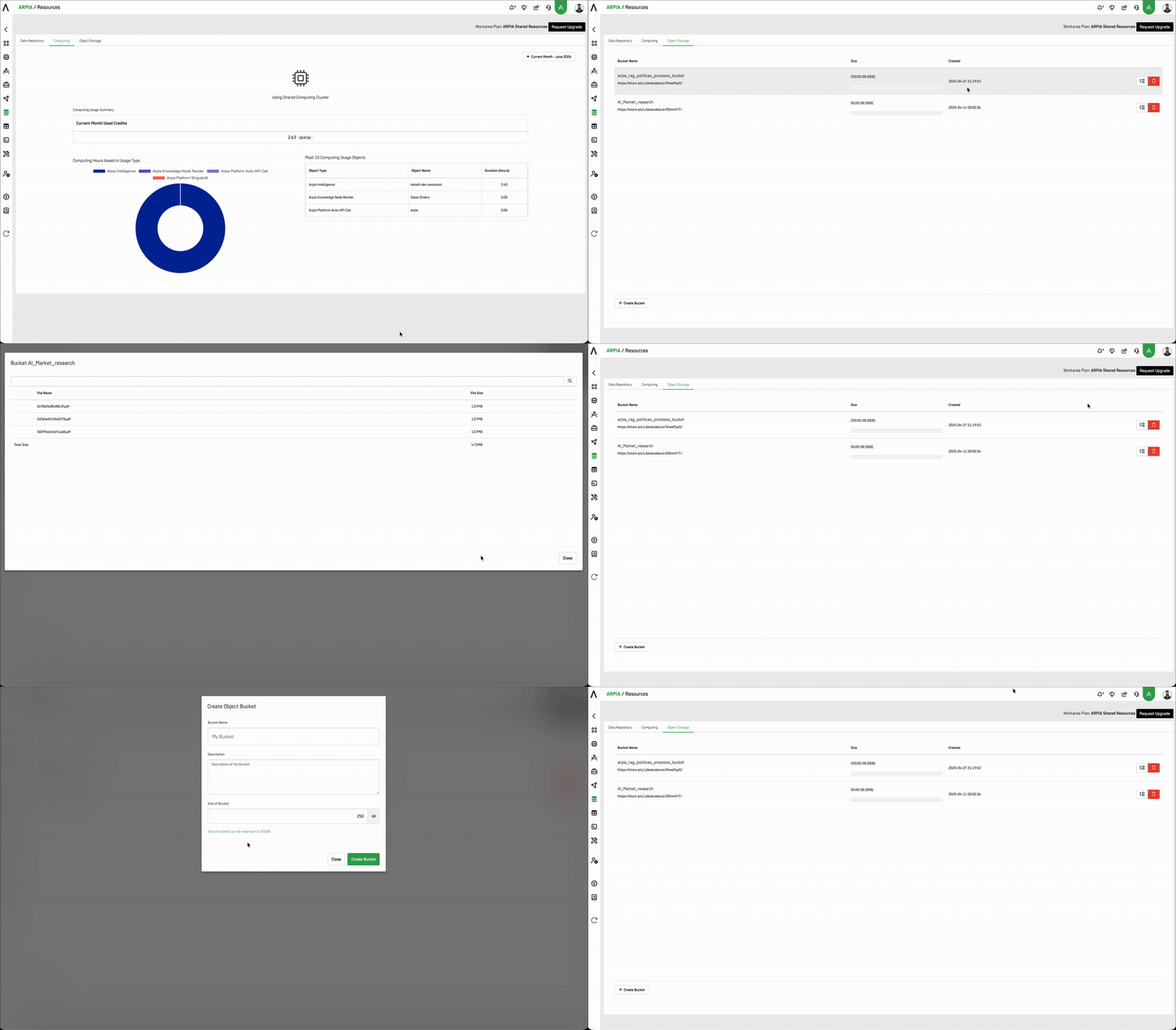
Bucket Storage organizes data into objects (files) rather than blocks or sectors, making it scalable and flexible. It is ideal for storing large amounts of unstructured data like images, videos, and documents.
Learn More
By organizing the Resources section in this way, ARPIA provides a seamless and intuitive experience for managing data, computing, and storage across projects.
Updated 3 months ago