
AutoAPI
🔗 AutoAPI Overview
AutoAPI is ARPIA's automatically generated REST API framework that transforms your database tables and Kubes (Knowledge Graph data models) into secure, queryable endpoints. It serves as the foundation for the Model Context Protocol (MCP) and enables seamless data exchange between your repositories and external applications—including AI agents, business intelligence tools, and custom integrations.
Documentation Roadmap: Start here → How to Create AutoAPI → MCP Integration
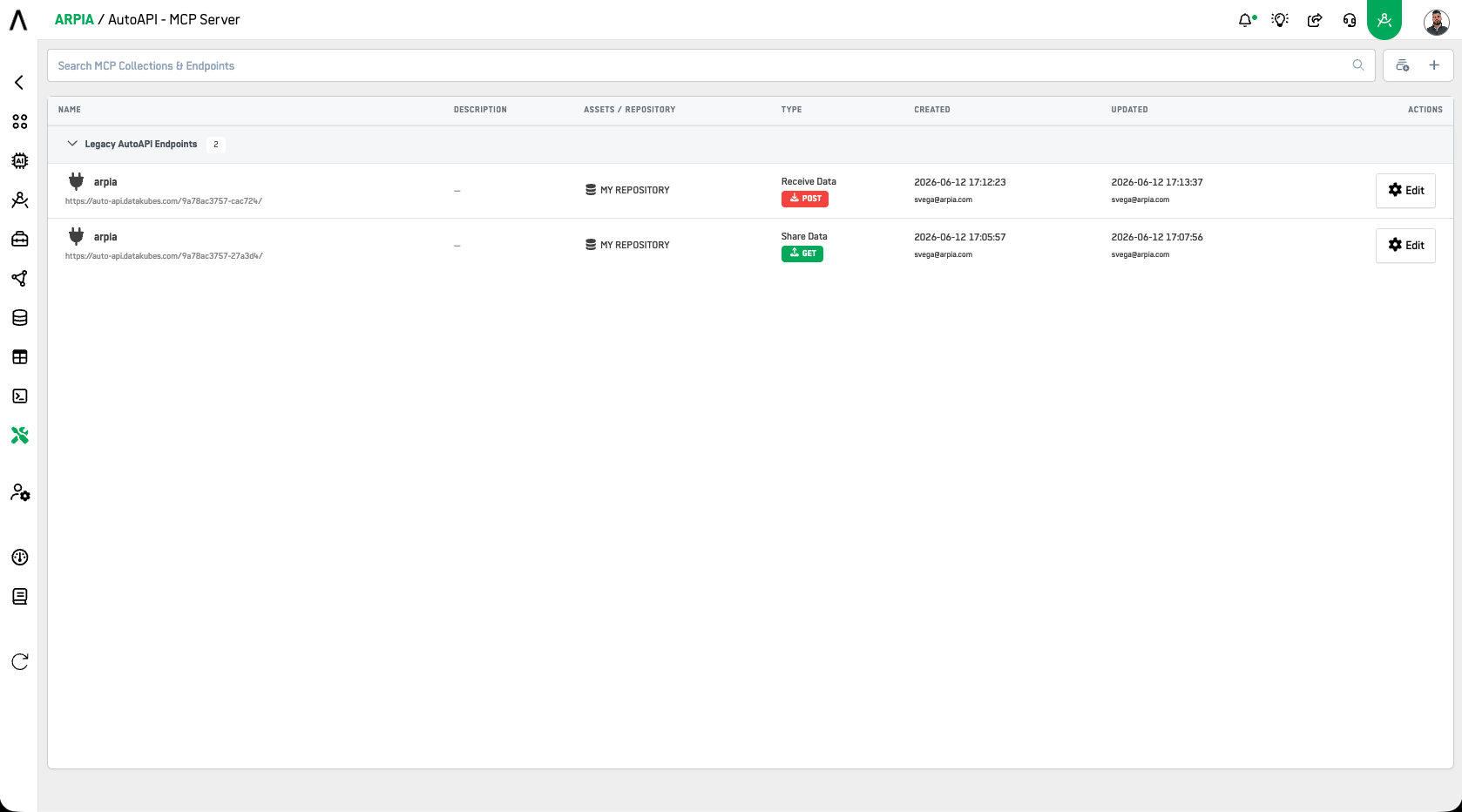
🎯 What AutoAPI Does
AutoAPI eliminates the traditional API development cycle by automatically generating production-ready endpoints from your data models. Instead of writing code to expose database tables or building custom APIs, you configure what data to share through a visual interface.
In Practice:
- Select a database table, Kube, or file storage bucket
- Choose which columns to expose or file operations to enable
- Define access rules and filters
- AutoAPI generates the complete REST endpoint with authentication, validation, and documentation
The Result: A secure, documented API endpoint ready to use in seconds—not weeks.
Time to First API: ~15 minutes from setup to production endpoint
🔑 URL Structure & Authentication
All AutoAPI endpoints follow one canonical URL pattern:
https://cloud.arpia.ai/api/{collection-token}/{resource-token}
- Collection Token (32 chars): grants access to a group of endpoints
- Resource Token (20 chars): identifies the specific endpoint
Authentication: Pass your collection token as a Bearer header. This is the recommended method for all environments:
curl -H "Authorization: Bearer YOUR_COLLECTION_TOKEN" \
  "https://cloud.arpia.ai/api/{collection-token}/{resource-token}"
A URL query parameter (
?token=...) is supported as a fallback for clients that cannot set headers, but is discouraged: tokens in URLs are exposed in server logs, proxy logs, and browser history. Use the Bearer header.
HTTP method vs. endpoint type: Data queries are sent as HTTP POST requests because the filter/sort/pagination payload travels in the JSON body. The endpoint types below (GET / POST / PUT) describe the operation the endpoint performs on your data (read / create / update)—not the HTTP verb used to call it.
🏗️ Architecture & Components
How AutoAPI Fits in the ARPIA Ecosystem
Database Tables / File Storage (Buckets)
    ↓
Repositories (Connected Data Sources)
    ↓
Kubes (Data Models & Business Logic)
    ↓
Variants (Access Control Views)
    ↓
AutoAPI Endpoints (REST APIs)
    ↓
MCP Collections (AI Agent Integration)
Repositories: Your connected databases (PostgreSQL, MySQL, Snowflake, etc.) and S3-compatible storage
Kubes: Semantic data models that can join tables, add calculated fields, and apply business logic. Think of them as reusable query templates.
Variants: Filtered views of Kubes that enforce row-level and column-level security. Create different variants for different user roles.
AutoAPI Endpoints: The HTTP REST APIs that expose your Kubes, variants, and file storage to external applications.
MCP Collections: Groupings of AutoAPI endpoints that AI agents can discover and query through the Model Context Protocol.
🌟 Key Capabilities
1. ⚡ Real-Time Data Integration
AutoAPI endpoints connect directly to your live databases—no data warehouses, ETL pipelines, or caching layers required.
Use Cases:
- AI Agents: Claude, ChatGPT query your latest data during conversations
- Dashboards: Business intelligence tools pull fresh analytics
- Mobile Apps: Customer-facing applications access real-time inventory
- Webhooks: External systems receive instant notifications on data changes
Example:
# This query hits your live database right now
curl -X POST "https://cloud.arpia.ai/api/{collection-token}/{resource-token}" \
  -H "Authorization: Bearer YOUR_COLLECTION_TOKEN" \
  -H "Content-Type: application/json" \
  -d '{"filters": [{"field": "Status", "type": "=", "value": "ACTIVE"}]}'
2. 📤 Automatic JSON REST Endpoints
Every AutoAPI endpoint follows RESTful conventions and returns structured JSON responses with built-in pagination, filtering, and error handling.
What You Get Automatically:
- OpenAPI/Swagger documentation for each endpoint
- JSON Schema validation for create/update operations
- Pagination with configurable page sizes
- Filtering with multiple operators (=, !=, >, <, LIKE, IN, BETWEEN)
- Sorting with multi-field support
- Grouping & Aggregation for analytics queries
- Error messages with helpful debugging information
Example — request 50 results per page:
curl -X POST "https://cloud.arpia.ai/api/{collection-token}/{resource-token}" \
  -H "Authorization: Bearer YOUR_COLLECTION_TOKEN" \
  -H "Content-Type: application/json" \
  -d '{"page": 1, "results": 50}'
Example Response:
{
  "status": "success",
  "data": [
    {
      "customer_id": 1001,
      "name": "Acme Corp",
      "email": "[email protected]",
      "status": "ACTIVE",
      "total_revenue": 125000
    }
    // ...49 more records on this page
  ],
  "pagination": {
    "page": 1,
    "results": 50,
    "total_records": 347,
    "total_pages": 7
  },
  "execution_time_ms": 45
}
3. 🛠️ Endpoint Types - Choose Your Operation
AutoAPI supports two main categories of endpoints:
📊 Data Operations (Database Tables & Kubes)
GET: Query & Retrieve Data
Expose data for reading and querying. This is the most common endpoint type.
What It Does:
- Returns structured data from tables or Kubes
- Supports filtering, sorting, pagination, and grouping
- Read-only access (no modifications)
- Ideal for analytics, reporting, and AI queries
Use Cases:
- AI agents querying customer data
- Dashboards pulling sales metrics
- Mobile apps displaying product catalogs
- External systems reading order status
Example Query (HTTP POST carries the query payload; the endpoint itself is read-only):
curl -X POST "https://cloud.arpia.ai/api/{collection-token}/{resource-token}" \
  -H "Authorization: Bearer YOUR_COLLECTION_TOKEN" \
  -H "Content-Type: application/json" \
  -d '{
    "page": 1,
    "results": 50,
    "filters": [
      {"field": "Region", "type": "=", "value": "West"},
      {"field": "Status", "type": "=", "value": "ACTIVE"}
    ],
    "orderby": [{"field": "Revenue", "type": "DESC"}]
  }'
POST: Create New Records
Accept data for inserting new records into your database tables.
What It Does:
- Receives JSON payloads and inserts into tables
- Validates data against schema rules
- Supports bulk inserts (multiple records)
- Returns created record IDs
Use Cases:
- Form submissions from websites
- Mobile apps creating new orders
- IoT devices sending sensor data
- Third-party systems pushing leads/contacts
Example Submission:
curl -X POST "https://cloud.arpia.ai/api/{collection-token}/{resource-token}" \
  -H "Authorization: Bearer YOUR_COLLECTION_TOKEN" \
  -H "Content-Type: application/json" \
  -d '{
    "operation": "insert",
    "data": [
      {
        "customer_name": "New Customer Inc",
        "email": "[email protected]",
        "phone": "555-0123",
        "status": "PENDING"
      }
    ]
  }'
PUT: Update Existing Records
Accept data for modifying existing records.
What It Does:
- Updates specific records identified by ID or unique key
- Validates field values and data types
- Supports partial updates (only changed fields)
- Returns number of affected records
Use Cases:
- Status updates from external systems
- Batch data corrections
- Syncing changes from other databases
- Webhook-triggered updates
Example Update:
curl -X PUT "https://cloud.arpia.ai/api/{collection-token}/{resource-token}" \
  -H "Authorization: Bearer YOUR_COLLECTION_TOKEN" \
  -H "Content-Type: application/json" \
  -d '{
    "id": 1548,
    "updates": {
      "status": "ACTIVE",
      "verified_date": "2026-06-12"
    }
  }'
📁 File Operations (S3-Compatible Bucket Storage)
Configure separate endpoints for file management using ARPIA's object storage:
Bucket Operations via AutoAPI
What Each Method Does:
- GET: List files or download specific files from bucket
- PUT: Upload new files to bucket
- DELETE: Remove files from bucket (when enabled)
- POST: Special workspace submission (project-specific)
Use Cases:
- Document management systems
- Image/media galleries
- Report generation and storage
- PDF/CSV export destinations
File Upload Example (note the quoted URL—required because of the & characters):
curl -X PUT "https://cloud.arpia.ai/api/bucket/?bucket={bucket-id}&file=report.pdf" \
  -H "Authorization: Bearer YOUR_BUCKET_TOKEN" \
  --data-binary "@report.pdf"
Important: File operations require creating an "Object Store" type endpoint, separate from data endpoints, and use bucket-specific tokens. See Bucket S3 API Documentation for detailed configuration.
🔐 Built-In Security Features
AutoAPI includes multiple layers of security by default:
Token-Based Authentication
- Collection Tokens: Control access to groups of endpoints
- Resource Tokens: Limit access to specific endpoints
- Bearer Token Standard: Industry-standard OAuth 2.0 compatible
- Token Scopes: Data endpoints and bucket endpoints use separate token pools
- Header-only in production: Send tokens via the
Authorization: Bearerheader, never in URLs
Row-Level Security (Data Endpoints)
Apply filters automatically through variants:
Example: Sales reps only see their region's data
Variant filter: region_id = current_user_region
Column-Level Security (Data Endpoints)
Control which fields are visible:
Public API: name, email, phone
Internal API: + revenue, purchase_history
Admin API: + ssn, internal_notes
Rate Limiting
- Sustained: 100 requests/minute per token
- Burst tolerance: short spikes up to 150 requests within a rolling 60-second window are absorbed before throttling (HTTP 429)
- Configurable higher limits for enterprise accounts
Audit Logging
- Every API call is logged with timestamp, IP, and payload
- 30-day retention (90 days for enterprise)
- Exportable for compliance requirements
Best Practice: Always use Variants for production data endpoints. Never expose raw tables directly.
👥 Who Uses AutoAPI in Your Company
AutoAPI sits at the boundary between your data team and everyone who needs data—so different roles interact with it differently:
| Role | How They Use AutoAPI | Typical Tasks |
|---|---|---|
| Data / Platform Engineers | Build & own endpoints | Connect repositories, design Kubes, configure endpoints, monitor performance |
| Security & Governance Teams | Control & audit access | Define variants (row/column security), manage token rotation, review audit logs for compliance |
| Application Developers | Consume endpoints as a backend | Integrate web/mobile apps, build webhooks, replace custom CRUD APIs |
| BI Analysts & Data Teams | Pull live data into tools | Connect Tableau/Power BI, build real-time dashboards without ETL |
| AI / Automation Teams | Wire data to agents | Group endpoints into MCP Collections, enable Claude/ChatGPT to query company data |
| Operations & Business Teams | Trigger data flows | Submit forms, push status updates from external systems, manage document buckets |
| External Partners | Consume scoped access | Query only their own orders/inventory via variant-filtered endpoints |
The division of labor in practice: engineers create, security constrains, everyone else consumes. Because endpoints are configuration (not code), the create-and-constrain steps don't require a development sprint—a data engineer and a governance reviewer can ship a secured endpoint in one sitting.
🚀 Common Use Cases
1. AI Agent Data Access (via MCP)
Scenario: Enable Claude, ChatGPT, or other AI assistants to query your databases through natural language.
Who: AI/Automation teams build it; executives, sales, and support staff consume insights conversationally—no SQL skills required.
Implementation:
- Create AutoAPI GET endpoint for customer data
- Add asset to MCP Collection
- Connect AI agent using collection token
- Users ask: "Show me customers who haven't ordered in 90 days"
Value: AI provides instant insights without SQL knowledge or database access.
2. Real-Time Dashboards
Scenario: Business intelligence tools need fresh data for executive dashboards.
Who: BI analysts configure the connections; leadership and department heads consume the dashboards.
Implementation:
- Create AutoAPI GET endpoints for key metrics
- Configure aggregation and grouping
- Point dashboard tools (Tableau, Power BI) to endpoints
- Data refreshes automatically without ETL pipelines
Value: Eliminate data warehouse delays, see metrics in real-time.
3. Mobile App Backend
Scenario: Mobile applications need to read product catalogs and submit orders.
Who: App developers consume the endpoints; data engineers expose the catalog and order tables; security teams scope access per customer account.
Implementation:
- Create GET endpoint for product catalog with filters
- Create POST endpoint for order submission with validation
- Implement row-level security by customer account
- Mobile app calls endpoints directly
Value: No custom backend development, automatic scaling, built-in security.
4. Document Management System
Scenario: Teams need centralized file storage with API access.
Who: Operations and document-heavy teams (legal, finance, HR) store and retrieve files; platform engineers set up the bucket endpoints and size/type limits.
Implementation:
- Create Object Store endpoint for bucket operations
- Configure PUT for uploads, GET for downloads
- Set appropriate file size limits and allowed types
- Integrate with applications using bucket tokens
Value: S3-compatible storage without managing infrastructure.
5. Partner Integrations
Scenario: Business partners need limited access to order status and inventory.
Who: Governance teams define the partner variant and token scope; account managers hand partners their credentials; the partner's developers consume the endpoint.
Implementation:
- Create variant with partner-specific filtering
- Generate AutoAPI GET endpoint from that variant
- Provide partner with dedicated collection token
- Partner queries only their own orders
Value: Secure data sharing without custom integration code.
🎓 AutoAPI vs. Traditional API Development
| Aspect | Traditional APIs | AutoAPI |
|---|---|---|
| Development Time | Weeks to months | 15-30 minutes |
| Code Required | Hundreds of lines | Zero |
| Documentation | Manual maintenance | Auto-generated |
| Authentication | Custom implementation | Built-in tokens |
| Validation | Write validators | Schema-based |
| Security | Code security rules | Visual configuration |
| Updates | Redeploy application | Update configuration |
| Testing | Unit tests required | Built-in console |
| Versioning | Manual management | Managed via variants |
| Performance | Varies by implementation | Optimized queries |
📊 Performance & Limits
Query Performance
- Target: <1 second for most queries
- Maximum Timeout: 30 seconds
- Optimization: Automatic query plan analysis
Data Limits
- Page Size: 1-1,000 records (recommended: 100-500)
- Payload Size: 5MB maximum per response
- File Uploads: Up to 100MB per file (bucket operations)
Rate Limits
- Sustained: 100 requests/minute per token
- Burst tolerance: up to 150 requests in a rolling 60-second window
- Enterprise: Configurable higher limits
🔄 Integration with MCP
AutoAPI serves as the data layer for the Model Context Protocol (MCP), which enables AI agents to discover and query your data.
The Connection:
AI Agent (Claude/ChatGPT)
    ↓ (asks for data)
MCP Protocol Layer
    ↓ (translates to HTTP)
AutoAPI Endpoints
    ↓ (queries database/storage)
Your Data Sources
Decision Guide:
| Use Case | Recommended Approach |
|---|---|
| Custom applications | AutoAPI directly |
| AI assistants | AutoAPI + MCP |
| File management | Bucket endpoints |
| Mixed operations | Multiple endpoint types |
🚦 Getting Started
Quick Start Checklist
1. Prerequisites (5 minutes)
- Active ARPIA account
- Database connected as Repository OR Bucket created
- At least one table with data OR files to manage
2. Create Your First Endpoint (10 minutes)
- Navigate to AutoAPI section
- Click + to create new endpoint
- Select endpoint type (GET for data, Object Store for files)
- Choose your Repository/table OR Bucket
- Select columns to expose OR file operations to enable
- Save endpoint
3. Apply Security (5 minutes)
- For data endpoints: Apply variant with row-level filters
- For all endpoints: Review access permissions
- Generate appropriate tokens
4. Test Your Endpoint (5 minutes)
- Open AutoAPI Console
- Execute sample query
- Verify expected results
- Try filters and sorting (data) OR file operations (bucket)
5. Connect External Application (15 minutes)
- Copy endpoint URL and tokens
- Configure your application/AI agent
- Send test request
- Verify data flows correctly
Total Time: ~40 minutes from zero to production API
Next Steps
Step-by-Step Guides:
AI Agent Integration:
API Reference:
💡 Best Practices
Endpoint Design
- Choose the right type: Data operations for tables, Object Store for files
- Name clearly: "Customer_Orders_Active" not "API_123"
- One purpose per endpoint: Don't mix operations
Performance Optimization
- Index filtered columns in your database
- Use reasonable page sizes (50-100 for interactive, 500 for batch)
- Apply filters to reduce result sets
- Monitor query times in logs regularly
Security Configuration
- Start restrictive, add access as needed
- Use variants for all production data endpoints
- Separate tokens for data vs. file operations
- Send tokens in headers, never in URLs
- Rotate tokens quarterly
- Review logs weekly for unusual patterns
Maintainability
- Document purpose in description field
- Version variants when changing security rules
- Test in console after changes
- Notify consumers before breaking changes
🆘 Common Questions
Q: Do I need to write any code?
A: No. AutoAPI is entirely configuration-based through the ARPIA interface.
Q: Why do read queries use HTTP POST?
A: The query payload (filters, sorting, pagination) is sent as a JSON body, which HTTP GET doesn't reliably support. "GET" describes the endpoint's read-only operation type, not the HTTP verb.
Q: Can I delete data records through AutoAPI?
A: No. Data endpoints support read (GET), create (POST), and update (PUT) operations only. Record deletion is intentionally excluded as a safety measure—handle deletes via soft-delete status updates (PUT) or directly in your database. File deletion is available on Object Store endpoints when enabled.
Q: Can I mix data and file operations in one endpoint?
A: No. Create separate endpoints - one for data (GET/POST/PUT) and another for files (Object Store).
Q: What's the difference between AutoAPI tokens and bucket tokens?
A: They're managed separately for security. Data endpoints use AutoAPI tokens, file operations use bucket-specific tokens.
Q: What happens if my database schema changes?
A: AutoAPI automatically reflects schema changes. You may need to update column selections if columns are removed.
Q: Can I test my endpoints before production use?
A: Yes! Use the built-in AutoAPI Console for testing queries, filters, and responses.
Q: How do I handle high traffic volumes?
A: Contact ARPIA for enterprise accounts with higher rate limits, connection pooling, and dedicated infrastructure.
Q: Which endpoint type should I use for my use case?
A: Use data endpoints (GET/POST/PUT) for database operations. Use Object Store endpoints for file management. When in doubt, start with GET for reading data.
Updated 4 months ago